Coinbase Advanced Trade vs Coinbase App: Wallet and Fee Guide (2026)

Coinbase Advanced Trade vs Coinbase App: learn when to use each interface, how Coinbase Wallet fits in, and where fees, custody and transfer flows differ in 2026.
How Coinbase App, Advanced Trade and Wallet differ in plain English
- Coinbase is a premier, publicly traded financial technology platform and cryptocurrency infrastructure network. Founded in 2012 and operating under strict tier-1 regulatory compliance standards across global jurisdictions, the ecosystem serves as a primary liquidity gateway connecting traditional banking systems to decentralized networks.
- The platform bundles retail digital brokerage applications, a high-frequency spot and derivatives order book engine (Coinbase Advanced), custodial institutional asset management structures, and next-generation self-custody account abstraction primitives deeply integrated with its companion Layer 2 scaling network, Base.
The Gateway Layer: Navigating the Centralized-to-Onchain Shift
- The digital asset ecosystem operates across two distinct environments: centralized exchange order books that bridge traditional fiat banking to digital assets, and fully decentralized public ledger networks. For many web3 market participants, managing these two separate spaces introduces significant technical friction. Moving capital between centralized custody, self-sovereign seed phrases, and high-performance Layer 2 scaling networks can lead to complex transaction paths and high overhead costs.
- Coinbase addresses this fragmentation by acting as an integrated, full-stack financial coordination layer. Moving far beyond its origins as a basic digital brokerage, the platform bridges institutional fiat gateways with institutional-grade trading books and highly accessible account abstraction wallet primitives. This comprehensive guide breaks down the structural differences between Coinbase Simple Spot execution and Advanced Trade mechanics, analyzes the platform’s fee matrices, and explores the operational evolution from legacy software wallets to passkey-driven on-chain Smart Accounts.
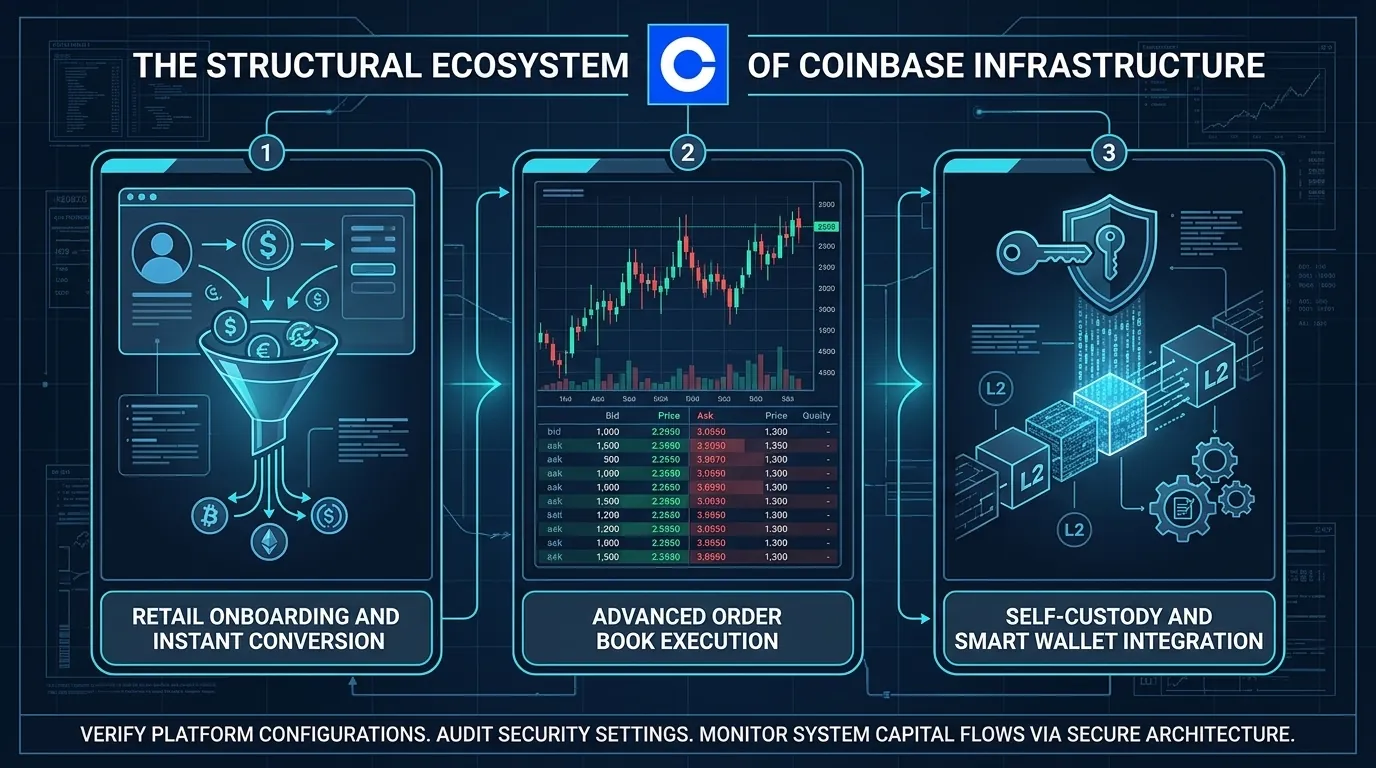
1. Trading Interfaces: Simple Spot vs. Advanced Trade
Intent check: If you want a broad beginner onboarding flow, start with our main Coinbase how-to guide. This page is specifically about the split between Coinbase App, Advanced Trade and Coinbase Wallet, and when each tool makes sense.
The Retail Buy/Sell Panel (Simple Spot)
Coinbase becomes much easier to understand once you stop treating it as one product. For most users, the real friction starts when they realize the simple app, Advanced Trade and Coinbase Wallet do different jobs, charge differently and fit different custody habits.
That search intent stays evergreen because users are often not asking what Coinbase is in the abstract. They are asking which Coinbase surface they should use for buying, lower-fee execution, self-custody transfers or Base-linked wallet flows. Framing the page around that decision removes overlap with the broad beginner guide.
The Convenience Premium: This simplified user experience carries a significant financial trade-off. Simple trades include a variable execution fee alongside an embedded pricing spread, making it an expensive method for executing high-volume or recurring transactions.
The Professional Execution Core (Advanced Trade)
Directly accessible from the same account profile at zero extra cost, Coinbase Advanced provides full exposure to the exchange's centralized limit order book. This dashboard equips users with real-time candlestick charts, technical indicators, and active market-depth ladders. Instead of accepting a fixed platform quote, participants submit precise, targeted instructions directly to the matching engine using advanced order types:
Market Orders: Instantly matches your request against the best available price in the order queue.
Limit Orders: Allows you to define an exact, target entry or exit price. The position rests passively on the order book and only fills if the market moves to hit your precise metric, avoiding artificial price slippage.
Stop-Limit Orders: Automates custom risk management policies, programmatically triggering a limit order only when an asset crosses a specific threshold.
2. Fee Structures and Execution Optimization
To optimize capital deployment, traders must understand the structural differences between simple retail fees and professional maker-taker models.
Centralized Trading Matrix
| Fee Parameter | Coinbase Simple Spot Interface | Coinbase Advanced Trade Interface |
| Pricing Spreads | High variable spread (0.50% to 2.00% markup) | None; trades execute directly on the order book |
| Bank Transfer Purchase | High variable convenience fee (1.49% to 1.99%) | Maker-taker dynamic volume pricing applies |
| Debit/Credit Card Fee | Up to 3.99% instant transaction fee | Not supported for direct order book execution |
| Maker Fee (Low Volume) | Not Applicable | 0.40% baseline fee per matched position |
| Taker Fee (Low Volume) | Not Applicable | 0.60% baseline fee per filled position |
| High-Volume Tiers | Static pricing rules | Drops down to 0.00% Maker / 0.05% Taker |
The Maker-Taker Mechanism
Advanced Trade transactions are priced dynamically based on your trading volume and whether your order adds or removes market depth:
Maker Fees: Apply when you place a limit order that does not match immediately. This adds liquidity to the exchange order book, granting you a preferred, lower fee tier starting at 0.40%.
Taker Fees: Apply when you execute a market order that fills instantly, taking liquidity out of the active order book. This incurs a slightly higher fee tier starting at 0.60%.
3. Self-Custody Evolution: The EOA Wallet App
Moving capital off the centralized exchange ledger into decentralized applications requires a self-custody wallet framework. Historically, this meant setting up a traditional Externally Owned Account (EOA) via the standalone Coinbase Wallet mobile app or browser extension.
The EOA framework grants the user complete ownership over their private keys:
The Security Paradigm: Coinbase has zero visibility into or control over your digital assets. The keys are encrypted locally inside your device’s secure hardware elements.
The Recovery Threshold: Account access is tied completely to a physical 12-word master recovery seed phrase. If a user loses this paper sheet or types it into a phishing website, their assets are lost permanently, as no central customer support team can recover or reset an EOA private key.
4. Next-Gen Infrastructure: The Passkey-Driven Smart Wallet
To eliminate the steep onboarding friction and security vulnerabilities inherent to legacy 12-word seed phrases, the ecosystem introduced the Coinbase Smart Wallet. Built on account abstraction principles, this architecture shifts users away from rigid EOA keys into fully programmable smart contract accounts.
Passkey Security Integration
Smart Wallets replace seed phrases entirely with hardware and cloud-based Passkeys (such as Apple iCloud or Google Passkeys). To spin up a secure, on-chain smart contract wallet, users verify their local device biometrics (FaceID or TouchID). The account is cryptographically secured across multiple devices without requiring manual paper backups, removing the primary threat vector for social engineering scams.
The Gasless L2 Multi-Chain Engine
Because the Smart Wallet is built as an interactive smart contract, it can execute automated transaction logic natively. It is deeply optimized to run on high-performance Layer 2 scaling networks like Base, alongside major EVM-compatible ecosystems including Optimism, Arbitrum, and Polygon.
This contract programmability unlocks advanced features:
Gas Sponsorship: Decentralized applications can programmatically sponsor transaction fees on behalf of the user, delivering a completely gasless experience.
Batch Transactions: Users can group token approval, asset swapping, and liquidity deployment steps into a single, one-click operation, significantly lowering overall network gas costs.
MagicSpend Connectivity: The Smart Wallet allows users to draw down verified balances from their centralized exchange account to fund on-chain Web3 transactions in real time, eliminating the tedious process of manually withdrawing and bridging gas tokens before interacting with an app.
Universal On-Chain Forensics and Trading Telemetry via DEXTools
- Maintaining an ironclad custody setup across centralized exchanges and programmable Smart Wallets must be paired with real-time forensic transparency into the external blockchain markets.
- Utilizing advanced decentralized analytical environments like DEXTools gives market participants an essential universal engine to track live token pairs, evaluate liquidity parameters, and audit smart contract behaviors across all public execution networks.
Disclaimer: This article is for informational purposes only and does not constitute investment advice, financial advice, trading advice, or any other kind of advice. DEXTools does not recommend buying, selling, or holding any cryptocurrency or token. Users should conduct their own research and consult with a qualified financial advisor before making any investment decisions. Cryptocurrency investments are volatile and high-risk. DEXTools is not responsible for any losses incurred.
How to Bridge Crypto Between Chains: Complete Cross-Chain Tutorial 2026 How to Use 1inch for Swaps: Classic, Fusion and Limit Orders (2026) How to Use OKX Web3 Wallet: Multi-Chain DeFi Hub Guide (2026)Related Guides
- Coinbase App vs Advanced Trade vs Wallet: Which One Should You Use in 2026?
- TON Terminal: Complete Guide to Not.Trade - The Fastest TON Trading App (2026)
- Fee Revenue per Active Wallet vs Total Fees: Which Shows Real dApp Monetization?
- How to Use Coinbase in 2026: Complete Beginner Guide to Buy Sell and Trade Crypto
- Coinbase Smart Wallet: Passkey & Base Account Guide 2026
Frequently Asked Questions
What is the difference between Coinbase Advanced Trade and the standard Coinbase app?
The standard Coinbase experience is built for simple buying and selling, while Advanced Trade adds an order book, chart tools and order types aimed at active traders. They are different interfaces for accounts on the same platform.
Is Coinbase Wallet the same as a Coinbase account?
No, a Coinbase account is a custodial exchange account, while Coinbase Wallet is a separate self-custody wallet where you control the private keys. With self-custody you are responsible for securing your own recovery phrase.
Why are fees different between Coinbase interfaces?
Different interfaces can use different fee structures, such as simpler flat-style fees versus maker and taker fees on an order book. Reviewing the current fee schedule before trading helps you understand the cost of each order.
What is the difference between custodial and self-custody on Coinbase?
In a custodial exchange account, the platform holds the keys to your crypto on your behalf, while in a self-custody wallet you hold the keys yourself. Self-custody gives you full control but also full responsibility for backups and security.