DeBank Tutorial: Track DeFi Portfolios and Smart Money Wallets (2026)
— By Tony Rabbit in Tutorials
Learn how to use DeBank to track DeFi portfolios, follow smart money wallets and read wallet activity across multiple chains in 2026.
If you are active in DeFi, keeping track of your positions across dozens of chains and protocols can feel like herding cats. DeBank solves this by giving you a single dashboard that aggregates everything - your tokens, LP positions, lending, staking, and more - across virtually every EVM chain. Even better, you can use it to spy on what the smartest wallets in crypto are doing.
In this tutorial, we will walk through everything you need to know about using DeBank effectively in 2026 - from searching wallets to reading portfolio breakdowns to tracking whale movements.
Intent split
- For the platform-specific tutorial, this page covers DeBank.
- For the general wallet tracker comparison, read Top 5 Wallet Trackers in 2026.
- For the general whale tracking comparison, read Top 5 Whale Tracking Tools in 2026.
What is DeBank?
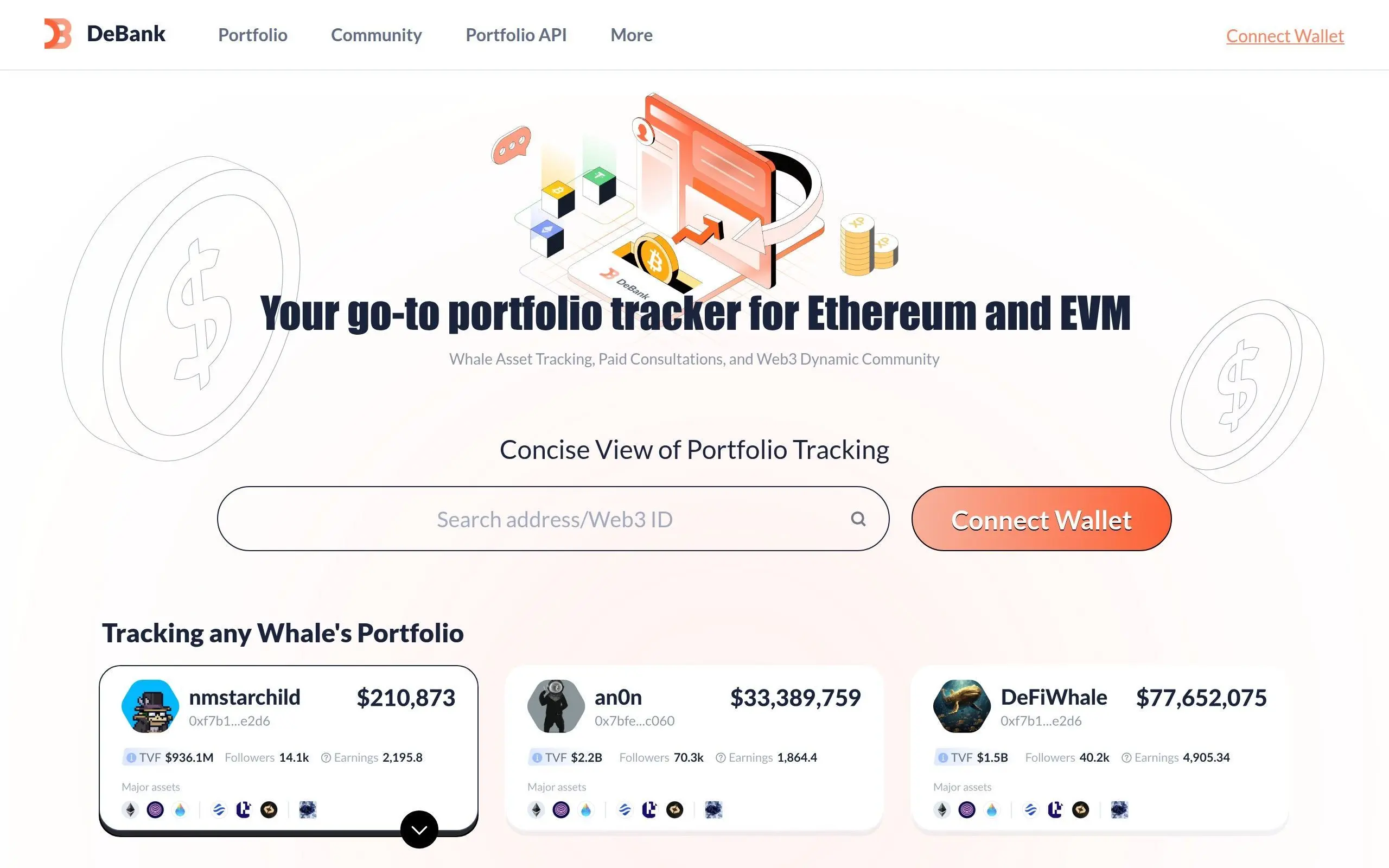
DeBank is a free Web3 portfolio tracker and social platform that supports 100+ EVM-compatible blockchains. It automatically detects your DeFi positions across 1,500+ protocols, displays transaction history, and lets you follow other wallets. Think of it as a Bloomberg terminal for DeFi - minus the $24,000 annual subscription.
Getting Started: Searching and Connecting Wallets
You do not need to connect a wallet to use DeBank. The simplest way to get started is to paste any Ethereum (or EVM) wallet address into the search bar on debank.com. You can also search by ENS name (like vitalik.eth) or DeBank Web3 ID.
Here is what to do:
- Visit debank.com - You will see a clean homepage with a prominent search bar
- Paste a wallet address - Try a well-known address like Vitalik Buterin's (0xd8dA6BF26964aF9D7eEd9e03E53415D37aA96045)
- Hit Enter - DeBank will load the full portfolio view for that wallet
If you want to track your own portfolio, click "Connect Wallet" in the top right corner. DeBank supports MetaMask, WalletConnect, Rabby Wallet, and most major wallet providers. Connecting your wallet also unlocks social features like DeBank Stream.
Pro Tip
Bookmark wallet addresses you check frequently. DeBank also has a "Follow" feature that lets you build a watchlist of wallets directly on the platform - no bookmarks needed.
Reading the Portfolio Dashboard
Once you load a wallet, the portfolio dashboard is where the magic happens. Let us break down what you see:

Key Metrics at a Glance
At the top of every profile, DeBank displays several important numbers:
- Total Value of Funds (TVF) - The total value this wallet has ever held. This is different from current balance and gives you a sense of the wallet's overall activity level
- Portfolio Value - Current total value across all chains, with a percentage change indicator
- Account Age - How many days since the wallet's first on-chain transaction
- Followers/Following - Social metrics if the wallet owner uses DeBank's social features
Analyzing DeFi Positions
Scroll down on any portfolio page and you will see the DeFi positions section. DeBank organizes these by protocol, showing you exactly what each wallet has deposited, staked, or provided as liquidity.
For each protocol, you can see:
- Token balances - What tokens are held in the wallet itself (not in any protocol)
- Liquidity pools - LP positions with token pair details and current value
- Lending/Borrowing - Supplied collateral and outstanding debt on protocols like Aave or Compound
- Staking - Staked tokens and pending rewards
- Vesting - Token vesting schedules from protocols like Sablier
DeBank automatically categorizes these so you do not have to visit each protocol individually. This is incredibly powerful when analyzing a whale wallet that has positions across 20+ protocols.
Understanding the Chain Breakdown
The horizontal bar at the top of the portfolio shows how funds are distributed across chains. In the example above, Vitalik's wallet shows roughly 95% on Ethereum mainnet, with smaller allocations on Base, BNB Chain, Optimism, and Arbitrum. This kind of breakdown helps you understand a wallet's multi-chain strategy at a glance.
Using the Transaction History Tab
The History (or Transactions) tab is where you can see every on-chain action a wallet has taken. DeBank decodes raw transaction data into human-readable formats, making it easy to understand what actually happened.

Each transaction entry shows:
- Timestamp - When the transaction occurred (relative time like "6 mins ago")
- Action type - Send, receive, swap, approve, multicall, etc.
- Token details - What tokens moved, amounts, and USD value at time of transaction
- Counterparty - The address that sent or received tokens
- Scam detection - DeBank flags suspicious transactions with a red "Scam tx" label
Warning: Scam Transactions
High-profile wallets constantly receive unsolicited token airdrops from scammers. DeBank helpfully labels these as "Scam tx" - never interact with unknown tokens that appear in your wallet. The contracts behind them are often designed to drain your funds if you try to swap or approve them.
Tracking Smart Money Wallets
One of the most powerful uses of DeBank is tracking "smart money" - wallets belonging to successful traders, fund managers, or well-known crypto figures. Here is how to build your own smart money tracking system:
- Find interesting wallets - Check crypto Twitter, on-chain analytics threads, or DeBank's own ranking pages for notable addresses
- Follow them on DeBank - Click the Follow button on any profile to add it to your feed
- Check the "Whale Tracking" section - On the DeBank homepage, you can see featured whale wallets with their TVF, earnings, and top holdings
- Monitor portfolio changes - Regularly check followed wallets to see new positions, sells, or protocol migrations
- Cross-reference with transaction history - When a whale adds a new position, check the History tab to see the exact entry price and transaction details
Smart Money Tracking Strategy
| Wallet Type | What to Watch | Signal Strength |
|---|---|---|
| VC/Fund Wallets | New token accumulation, protocol migrations | High |
| DeFi Degens | Early LP positions, new protocol deposits | Medium-High |
| Protocol Founders | Token sells, vesting claims, new deposits | Medium |
| MEV Bots | Arbitrage patterns, token sniping | Low (hard to replicate) |
DeBank Stream: The Social Layer
DeBank is not just a portfolio tracker - it also has a social feed called DeBank Stream. Think of it as Twitter/X but where every user's wallet is publicly visible, and posts can include on-chain proof of holdings.
Key Stream features include:
- Social feed - Follow wallets and see their posts alongside portfolio updates
- Verified holdings - Users can flex their bags with on-chain proof (no more fake PnL screenshots)
- Web3 ID - Claim a unique username tied to your wallet address
- Badges - Achievement-style badges for on-chain activity (early adopter, whale status, etc.)
- VIP features - Premium tier with enhanced analytics and customization options
The social layer adds context to on-chain data. When you see a whale making a big move, you might find their reasoning posted on Stream.
Tips for Using DeBank Effectively
Frequently Asked Questions
How can I use DeBank to track smart money wallets?
DeBank allows users to input wallet addresses to view their on-chain activity, including token holdings, transaction history, and DeFi protocol interactions.
What is 'smart money' in the context of DeBank tracking?
Smart money refers to wallets identified as belonging to experienced or successful investors, often characterized by early adoption of new protocols or profitable trading strategies.
Can DeBank help me identify new DeFi opportunities?
By observing smart money wallets, users may gain insights into emerging trends or promising DeFi projects that these sophisticated investors are engaging with.
Is it possible to track specific tokens or protocols with DeBank?
Yes, DeBank provides detailed breakdowns of a wallet's assets across various chains and protocols, allowing users to see which tokens and dApps are being utilized.
What information does DeBank provide about a tracked wallet?
DeBank displays a comprehensive overview of a wallet's portfolio value, asset distribution, historical performance, and interactions with different DeFi applications.
Related Guides
- Zapper Tutorial: Navigate DeFi Dashboards and Manage Multi-Chain Portfolios (2026)
- How to Use LlamaFolio: Track Wallet Holdings and DeFi Positions (2026)
- Track Smart Wallets for Memecoin Entries (Full Guide)
- EOA Wallets vs Smart Wallets: DeFi Guide
- What Are Order Blocks in Crypto? Smart Money Guide 2026