How to Read a Wallet Signature Request Before Signing (2026)
— By Whatsertrade in Tutorials

Master wallet signature requests in 2026: decode Permit2, EIP-712, eth_sign and Solana prompts to avoid drainer scams and protect your crypto.
The fastest way to lose your entire crypto portfolio in 2026 is not a hack of the blockchain. It is signing a message you did not understand. A single bad signature can hand a stranger unlimited permission to drain every token, NFT and stablecoin from your wallet in one transaction. Learning to read a wallet signature request before signing is now a non negotiable skill for anyone who self custodies crypto.
Signature drainers caused roughly 70 percent of Web3 phishing losses tracked by ScamSniffer and SlowMist in 2024 and 2025, and the trend accelerated as Permit2 and EIP-7702 became standard. The prompts are short, the language is technical, and the wallet UI rarely tells you the full story.
This guide breaks down every signature type (eth_sign, personal_sign, EIP-712 typed data, EIP-2612 permits, Permit2, EIP-4337 user operations, Solana SignMessage and SignTransaction), shows you how to dissect a MetaMask, Rabby, Phantom or Ledger prompt line by line, explains the most common drainer patterns, and gives you a seven step safety framework. By the end you will read signatures like a security auditor, not a user clicking through a popup.
What Is a Wallet Signature Request
A wallet signature request is a cryptographic prompt asking your private key to produce a digital signature over specific data. The signature proves that the holder of the address authorized the data, and it can be either an off chain message (gas free) or an on chain transaction (broadcast and confirmed in a block). Signatures are the only way a smart contract or website verifies that an action came from your wallet.
The dangerous part is that off chain signatures are not free of consequence. A message signed today can be relayed tomorrow to move tokens, transfer NFTs, place orders or grant infinite allowances. The blockchain treats your signature as consent, period. If you understand how the prompt is constructed, you can read the action before it happens. If you do not, you are gambling.
A wallet signature request is a cryptographic prompt where your wallet uses its private key to sign data. Off chain signatures are gas free but can later be submitted on chain to move funds, grant approvals or execute trades. Reading the prompt before signing is the only defense against signature based drainers.
A Brief History of Signature Standards
Ethereum launched in 2015 with a single dangerous signing function called eth_sign. It signed any 32 byte hash without context, meaning anyone could trick a user into signing a hash that was secretly a valid transaction. By 2017 the community realized the risk was unacceptable and started layering safer standards on top.
personal_sign arrived first, prefixing data with "\x19Ethereum Signed Message:\n" plus the length, which makes it cryptographically impossible for a signed message to also be a valid transaction. EIP-191 standardized the prefix in 2016. EIP-712 (2017) introduced typed structured data with a human readable domain separator and named fields, letting wallets display the actual meaning of a signature instead of raw hex.
EIP-2612 (2020) extended typed data to ERC-20 approvals through gas free permits. Uniswap shipped Permit2 in late 2022 as a universal allowance manager. ERC-4337 account abstraction launched in 2023 with user operations that bundle multiple actions behind one signature. Solana kept its own dual model of SignMessage and SignTransaction. Every modern wallet juggles all of these formats, and every drainer exploits the gap between what a user thinks they are signing and what the standard actually authorizes.
Every Signature Type You Will Encounter
Different signature standards carry different risk profiles. The table below summarizes the seven you will see most often, ranked from safest to most dangerous when handled carelessly.
personal_sign and Sign In With Ethereum
This is the friendliest prompt you will see. The wallet displays a plain text message such as "Sign in to OpenSea, nonce 8a72f1, issued 2026-05-18T10:00:00Z." Because the data is wrapped in the Ethereum signed message prefix, it cannot be replayed as a transaction. The only real risk is signing a login nonce on a phishing clone of a legitimate site, which gives the attacker an authenticated session. The cryptography is safe, but the destination might not be.
EIP-712 Typed Data
Typed data signatures display a domain separator (name, version, chainId, verifyingContract) plus a structured message with named fields. OpenSea, Blur, dYdX and 1inch use this for orders and bids. A well behaved wallet shows you exactly which contract will accept the signature and what each field does. The danger arrives when the dApp signs an order for a token or NFT you did not realize you owned, or when the message authorizes a trade at a price far below market value. Always read the makerAsset, takerAsset and price fields.
EIP-2612 Permit Signatures
A permit is a gasless approval. Instead of submitting an on chain approve transaction, you sign an EIP-712 message authorizing a specific spender to move up to a specific value of a specific ERC-20 token until a specific deadline. The dApp then includes the signature in its swap transaction. Drainers love permits because the prompt looks like a harmless signature, no gas is required, and the moment the attacker submits the message on chain your tokens are gone. Always check spender, value and deadline. A deadline far in the future combined with a value of 2 to the power 256 minus 1 (uint256 max) is a drainer signature.
Permit2 by Uniswap
Permit2 is a universal allowance contract deployed at the same address on every EVM chain. You approve Permit2 once for a token (often unlimited), and from then on any dApp integrated with Permit2 can pull from your wallet by asking you to sign a typed message. The benefit is gas savings and a single revoke point. The risk is that one careless signature on a malicious site can drain anything you have given Permit2 access to, across every Permit2 enabled token. Treat every Permit2 prompt with maximum scrutiny.
setApprovalForAll for NFTs
This is an on chain transaction, not an off chain signature, but drainers often disguise it through MetaMask Snaps or wrap it inside a misleading "Connect wallet" flow. The function grants the operator address the right to transfer any NFT in the specified collection from your wallet, forever, until you revoke it. The wallet usually shows the operator as a hex address with no human readable label. If you cannot identify the operator and the action does not match an obvious listing or marketplace flow, reject.
EIP-4337 User Operations
Account abstraction wallets such as Safe, Biconomy, ZeroDev and Coinbase Smart Wallet use UserOperations that bundle multiple sub actions behind a single signature. The prompt may show "execute batch" with a list of calls. Read every call in the batch. A malicious dApp can hide a token transfer or an approval inside an otherwise normal batch. Good 4337 wallets simulate the entire bundle and show net asset changes; if your wallet does not, switch wallets or do not sign.
eth_sign (Deprecated, Critical Risk)
If a site asks you to use eth_sign, leave immediately. The function signs an arbitrary 32 byte hash with no context. The hash you sign could be the hash of a transaction that transfers all your ETH, a permit that drains your USDC, or a meta transaction that lists every NFT for one wei. MetaMask now shows a red "this site is asking you to sign with eth_sign" warning by default. There is no legitimate reason for any modern dApp to use it in 2026. None.
Reading a MetaMask Prompt Line by Line
A modern MetaMask transaction prompt has five sections you must read in order before clicking confirm. Skipping any of them is how wallets get drained.
The exact domain shown at the top of the popup. Confirm character by character. Punycode and Cyrillic lookalikes are common.
approve, transfer, setApprovalForAll, permit. Decoded from the calldata's first 4 bytes (selector).
Click through to Etherscan. Verified source, recognizable label, deployed more than 90 days ago.
Watch for uint256 max (115 followed by 75 digits) or unfamiliar spender addresses.
Zero gas means off chain signature (highest scrutiny). Wrong chain ID is a red flag.
MetaMask's "Site suggested" gas field is honored as is, but the fee that matters for safety is whether gas is required at all. A signature request with zero gas means you are signing an off chain message, which is exactly the format drainers prefer. The lack of a gas charge does not mean the action is safe; it means the action will cost an attacker zero gas to execute against you.
If you click the "Data" or "Hex" tab, you will see the raw calldata. The first 8 hex characters are the function selector. You can paste them into the Ethereum Signature Database or 4byte.directory to decode unknown selectors. If the selector does not resolve to a known function, you are signing something that is not in any public registry, which is itself a red flag.
Reading a Rabby Pre Transaction Simulation
Rabby is the gold standard for signature safety because it simulates every transaction before you sign and shows the net asset changes in plain English. Where MetaMask shows "approve" with a hex amount, Rabby shows "Token Approval: USDC, unlimited, to 0xUnknownContract" with a warning icon if the spender is unrecognized. If Rabby flags a transaction as high risk, do not sign. Their security feed is updated multiple times per hour by their team and by community submissions.
The Rabby simulation panel has three sections: Balance Change (what enters or leaves your wallet), Token Approval (allowances granted), and Sign Risk (manual flag from Rabby's database). A green Balance Change row with no Token Approval is the safest signature you can sign. A red Token Approval to an address Rabby labels "Unknown" or "Phishing" should make you close the tab and disconnect your wallet immediately. Rabby also displays the deployed age of the destination contract; anything under 7 days deserves extra caution because most drainer contracts are freshly deployed and abandoned within hours.
If you are deep into DeFi, pair Rabby's pre simulation with our guide to transaction simulation in crypto and combine both layers for maximum safety. Rabby also integrates with the same Permit2 allowance manager that powers Uniswap, and our Permit2 deep dive shows you how to revoke universal allowances.
Dangerous Patterns You Must Recognize
Drainer signatures follow predictable templates. Once you have seen them you will recognize them instantly. These are the patterns responsible for the majority of 2024 and 2025 Web3 phishing losses.
Pattern 1: The Unlimited Permit
You land on a "free mint" or "claim airdrop" page. You click connect, then click claim. A signature prompt appears. It looks like a typed message. The token field shows USDT or USDC, the value field shows 115792089237316195423570985008687907853269984665640564039457584007913129639935 (which is 2 to the power 256 minus 1, also known as uint256 max), and the spender is an unfamiliar address. This is an EIP-2612 permit drainer. If you sign, the attacker submits the permit on chain and immediately follows it with a transferFrom that sweeps your entire token balance.
Pattern 2: setApprovalForAll on an Unknown Operator
An "NFT bid" or "list now" flow asks you to sign or send a setApprovalForAll. The collection field shows your most valuable NFT collection. The operator is a fresh address with no marketplace label. If you sign or confirm, the operator can transfer any NFT in that collection from your wallet at will. This is how Bored Apes, CryptoPunks and Pudgy Penguins have been stolen in the last 18 months.
Pattern 3: Permit2 Universal Drainer
If you have ever swapped on Uniswap, you have approved Permit2 (often for unlimited amounts) on at least one token. A phishing site simply asks you to sign a Permit2 PermitSingle or PermitBatch message. The signature delegates spending of your Permit2 approved tokens to a malicious spender for up to 30 days. No on chain transaction is needed from you. The attacker submits the signature whenever they are ready. Revoke unused Permit2 approvals at revoke.cash or app.uniswap.org/permits.
Pattern 4: The Hidden Approval in a Bundle
EIP-4337 account abstraction and meta transaction relayers allow multiple actions in a single signed payload. A "wallet connect" or "claim" flow can include a transfer or approve call hidden inside what looks like a benign multicall. Always expand every nested call in the prompt. If your wallet does not allow you to expand, switch to one that does (Rabby, Frame, Safe).
Pattern 5: Blind eth_sign of an Arbitrary Hash
The legacy eth_sign function signs whatever 32 byte hash is passed to it with zero context. The hash might be the hash of a transaction that transfers all your assets, a Seaport order, an OpenSea bid for one wei, or a custom contract action. Any site that asks for eth_sign in 2026 is hostile. MetaMask flashes a red warning. Listen to the warning.
If a signature prompt shows uint256 max (a 78 digit number starting with 115792), an unfamiliar spender, an unknown contract operator, or asks you to use eth_sign, reject and disconnect the site immediately. There is no legitimate use case in 2026 where you should sign any of these blindly.
Solana Signatures Are Different
Solana wallets such as Phantom, Solflare and Backpack present two distinct signing modes that work very differently from Ethereum. Misunderstanding them is the leading cause of Solana drains.
SignMessage
SignMessage signs an arbitrary string off chain. It is the Solana equivalent of personal_sign and is used for login proofs (Sign In With Solana, SIWS) and authentication nonces. Because Solana transactions are not hashes but structured payloads, a signed message cannot be replayed as a transaction. SignMessage is generally safe, with the same phishing caveat as on Ethereum: a legitimate cryptographic action on a fake site is still a path to compromise.
SignTransaction and SignAllTransactions
SignTransaction is the dangerous one. The wallet displays a list of accounts that will be read or written by the transaction. Critical: any account marked as "writable" in the transaction can have its balance changed. If a drainer includes your USDC token account or your SOL account as writable, the program being invoked can drain it. Phantom's simulation panel shows estimated balance changes (Phantom Blowfish integration), but the underlying writable accounts list is the ground truth.
Common Solana drainer flow: the user clicks "claim airdrop" on a fake site. The wallet shows a SignTransaction prompt with one program invocation. Phantom shows "Insufficient simulation data" or a small SOL transfer. The user signs. Behind the scenes, the writable accounts include the user's SOL account and every SPL token account in their wallet, and the program calls token::transfer on each one. Result: total drain. Always expand the "View advanced" section and read the writable accounts list. If you see token accounts you did not expect to interact with, reject.
SignAllTransactions
This requests a single user click to sign multiple transactions at once. It is used for legitimate batched operations such as DEX route splits, but malicious sites use it to slip a draining transaction in the middle of a bundle. Modern Phantom and Solflare display each transaction separately in the prompt. Read every one. If you cannot expand or read all of them, reject.
Simulate Before You Sign
Simulation tools execute the transaction in a fork of mainnet and show you the exact outcome before you sign. They are the single most effective defense against drainer signatures. In 2026 you have no excuse not to use at least one.
Running two layers at once (a simulating wallet plus a reputation extension) is the practical baseline for anyone holding more than a few thousand dollars on chain. Rabby plus ScamSniffer, or MetaMask with Wallet Guard installed, will catch the overwhelming majority of drainer attempts before you can click confirm.
Hardware Wallets and the Blind Signing Trap
Many crypto holders believe a hardware wallet (Ledger, Trezor, Keystone, GridPlus) protects them from signature attacks. The private key is air gapped, so it does. But the protection is incomplete if you allow blind signing. Blind signing means the hardware wallet asks you to confirm a 32 byte hash on the device screen without decoding what the hash represents. If you confirm a hash whose contents you cannot read, you have signed exactly the same arbitrary message as a hot wallet user. The hardware did not save you.
Ledger Contract Data Mode
On Ledger, the Ethereum app has a setting called "Contract data" (older firmware) or "Blind signing" (newer firmware). It is disabled by default, which means the device will refuse to sign any transaction whose calldata it cannot decode into a recognized function. Many users enable it because dApps such as Uniswap, Aave or 1inch use functions that Ledger's built in decoder does not recognize, and the device shows "Allow contract data" warnings. Enable it only when you are signing a known good transaction, and disable it again afterwards. The Ledger Stax and Flex with Clear Signing display decoded EIP-712 fields on the device screen for an increasing number of dApps, which is the right direction. Always verify that the parameters shown on the Ledger screen match what your wallet UI shows. If they differ, the host computer is compromised and you must reject.
Trezor and Keystone
Trezor Model T and Trezor Safe 3 implement clear signing for typed EIP-712 messages from many major dApps. Keystone displays full transaction parameters on its larger air gapped screen. For both, the rule is the same: read every field on the device, not on the computer. The whole point of a hardware wallet is that the computer is assumed compromised. If you read the prompt on the computer and just click confirm on the device, you negated the protection.
Decoding Transaction Calldata Manually
When your wallet does not decode a function, you can do it yourself. Every transaction has a "data" or "hex" field that contains the calldata. The first 4 bytes (8 hex characters after the 0x prefix) are the function selector, derived from keccak256 of the function signature. Paste them into 4byte.directory or sig.eth.samczsun.com to identify the function. The remaining bytes are the ABI encoded parameters, 32 bytes each, padded with leading zeros.
For example, the selector 0x095ea7b3 resolves to approve(address,uint256). The next 32 bytes are the spender address (the last 20 bytes are the address, the first 12 are padding). The next 32 bytes are the value. If the value is 64 hex characters all set to f, you are approving uint256 max. Etherscan's "Decode Input Data" button does the parsing automatically; paste your transaction hash or the calldata into the appropriate Etherscan tool and read the result.
For EIP-712 typed data, the prompt itself displays the structured fields. Walk through the domain (chainId, verifyingContract) and the message fields one by one. The verifyingContract is the address that will accept the signature; verify it on Etherscan. The chainId must match the network you intend to use. Mismatches are how cross chain replay attacks work.
The Seven Step Safety Framework
This is the checklist every signature should pass before you click confirm. It takes 60 to 90 seconds and will prevent more than 99 percent of signature based drains.
The framework looks heavy at first but becomes muscle memory within a week. The 90 seconds you spend reading a prompt is the cheapest insurance policy in crypto. Compare it to the time it takes to lose an entire portfolio, plus the months of legal and emotional recovery that follow, and the calculation makes itself.
Common Scam Flows Decoded
Drainers use a small set of recurring social engineering flows. Recognize the flow and you will recognize the signature.
Free Mint or Free NFT
You see a tweet from a "verified" account announcing a free mint. Clock is ticking. Site looks polished. You connect. Site asks you to sign to claim. The signature is a Permit2 or setApprovalForAll, not a mint function. Real mints are on chain transactions calling a mint or claim function on a verified contract you can read on Etherscan. If signing is gas free and the function is not mint, you are not minting anything; you are giving permission.
Airdrop Claim
Same flow, different theme. "Claim your $JITO 2 retro airdrop." Site requires connection and signature. The signature drains, the airdrop never exists. Real airdrops require either a Merkle proof claim transaction (gas required, calls a claim function on a verified contract) or no signature at all (token simply appears in your wallet). Any airdrop that requires you to sign an off chain message to "receive" is a scam.
NFT Bid or Listing
You list an NFT on a marketplace. The marketplace asks for a setApprovalForAll to its router contract. That is legitimate IF the contract is the verified marketplace contract. Drainers clone marketplaces and substitute their own operator. Always verify the operator address against the marketplace's official contract on Etherscan. OpenSea's Seaport, Blur's Pool, Magic Eden's authorized contracts are all publicly listed.
WalletConnect Popup With Hidden Approval
You scan a WalletConnect QR code to use a dApp on mobile. The first prompt is a connection. The second is a signature. The signature is presented as "authentication" but is actually a Permit2 or typed message authorizing token movement. Always read the second prompt as carefully as a transaction.
Fake Support DM
A "support agent" from MetaMask, Trust Wallet or Phantom contacts you about a wallet issue. They send a link to a "validator" or "recovery" tool. The tool asks you to sign a message to "verify ownership." Every real support team has a zero contact policy on signatures. No legitimate support will ever ask you to sign anything.
How to Revoke Existing Approvals
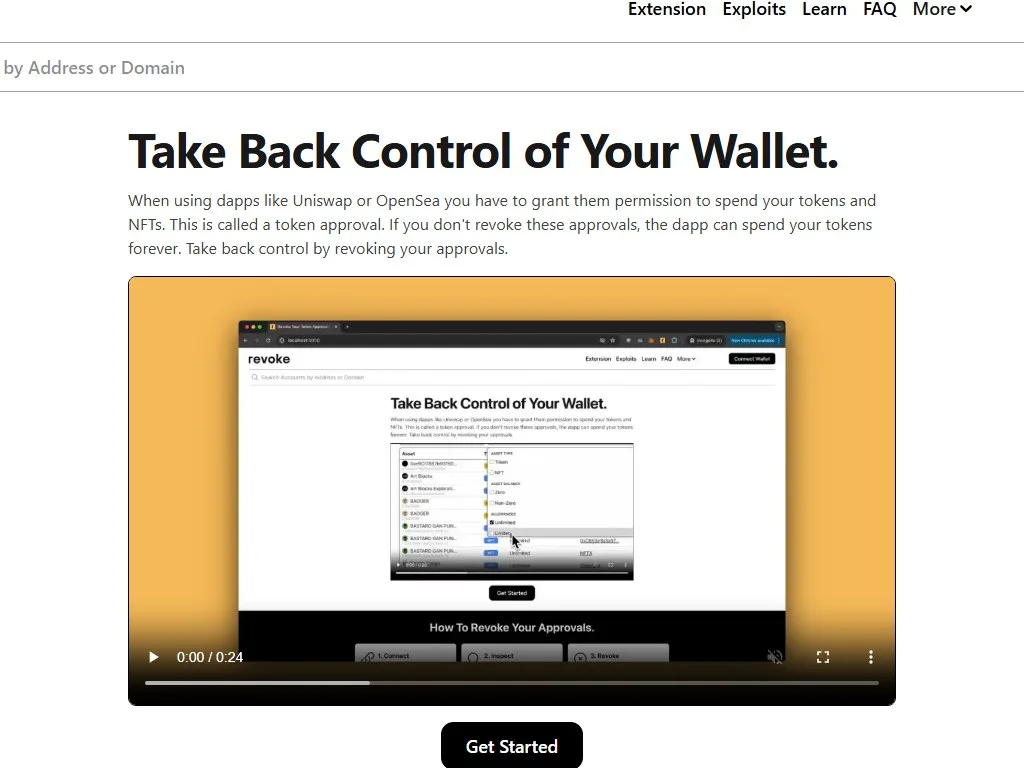
Even if you have been careful, you almost certainly have stale approvals from old dApp interactions. Revoking them shrinks your attack surface dramatically. The two best tools are revoke.cash (EVM) and Solana Wallet Guard (Solana). Both display every active approval, with risk scores and one click revocation.
For Permit2 specifically, the Uniswap app at app.uniswap.org/permits lists every Permit2 allowance you have granted, including those from other dApps. Revoke any allowance you do not actively need. The cost is one small on chain transaction per revoke; it is the best gas spend in your wallet. Pair the revocation habit with our broader crypto wallet security tips for a complete hardening checklist.
For NFT collections, scroll through your setApprovalForAll grants on revoke.cash and remove any operator that is not a recognized marketplace. Old marketplaces, abandoned aggregators and one off mint contracts should all be revoked. The principle is least privilege: any address that does not currently need access should not have it.
Wallet Setup for Safe Signing
The single best structural defense against signature drainers is wallet compartmentalization. No matter how careful you are with prompts, mistakes happen. The job of your wallet structure is to ensure that one mistake does not cost everything.
Ledger or Trezor air gapped. Long term holdings. Never connects to any dApp. Signs only known good transactions you initiated.
Rabby or MetaMask with simulation extensions. Trusted dApps only (Uniswap, Aave, your favorite blue chips). Daily DeFi activity.
Empty until needed. Funded only with the exact amount required for an experiment, airdrop or unknown dApp. Disposable after use.
Combining the three tiers means a careless click on a drainer site can cost at most what is on the burner. The cold vault stays untouched, the main hot wallet keeps your DeFi positions safe, and the burner can be drained and abandoned. Our guide on using a burner wallet for airdrops and meme coins walks through the workflow in detail.
For the highest assurance, pair the cold vault with a multisig such as Safe (Gnosis Safe). A 2 of 3 or 3 of 5 Safe means even a successfully signed malicious transaction cannot execute without additional signers approving. Multisigs add friction, but for high value holdings the friction is the feature. Learn more about how DeFi protocols and wallets integrate with these safer architectures.
What to Do If You Already Signed Something Bad
Speed matters. The moment you realize you may have signed a drainer message, the clock is running. Sometimes the attacker has not yet relayed the signature on chain, which means you can still act.
Step one, disconnect the site immediately and close the tab. Step two, open revoke.cash on the affected wallet and revoke every approval to addresses you do not recognize, especially Permit2 and setApprovalForAll. Each revoke is an on chain transaction that costs gas, but it physically removes the attacker's permission. If the attacker has already submitted the permit, the revocation may be too late for the affected token, but it will stop further drains. Step three, transfer remaining assets (those not yet drained and not held by an active approval) to a brand new wallet generated fresh from a hardware device. Do not reuse any wallet that has ever interacted with the malicious site.
Step four, document everything. Take screenshots, copy the malicious site URL, record the transaction hashes of any drains. Report to ScamSniffer, MetaMask phishing list and Etherscan label reports so future users get a warning. If the loss is large, file with Chainabuse and consider hiring a tracing firm such as Chainalysis or TRM Labs; some funds have been recovered when assets pass through KYC exchanges. The recovery rate is low, but it is not zero. For chain hygiene afterwards review our notes on avoiding crypto address poisoning scams which often follow drains as a second wave attack on the new clean wallet.
Best Practices Summary
Distilling the entire guide into a daily checklist, these are the habits that separate users who keep their crypto from users who get drained.
- Use Rabby as default wallet or MetaMask plus Wallet Guard plus ScamSniffer
- Disable blind signing on Ledger except when actively needed
- Read every signature prompt: site, function, contract, params, gas
- Never sign eth_sign in 2026, ever, no exceptions
- Reject any prompt showing uint256 max with an unknown spender
- Bookmark every dApp; never click dApp links from social media
- Revoke unused Permit2 and setApprovalForAll allowances monthly
- Cold vault for holdings, hot wallet for DeFi, burner for experiments
- Verify Ledger or Trezor screen matches wallet UI before confirming
Crypto self custody is not about being smarter than attackers. It is about installing enough structural friction that one bad moment cannot cost everything. The signature prompt is the front door, and the seven step framework above is the bolt. Every user who locks their door is one less data point on the next quarterly drainer loss chart.
Frequently Asked Questions
Q Q Q What is the difference between signing a message and signing a transaction?
Signing a message is gas free and produces a cryptographic signature off chain. Signing a transaction broadcasts the signed payload to the blockchain and costs gas. Both can move funds: a signed message can later be submitted on chain by anyone to authorize a token transfer, approval or trade. The lack of a gas fee does not make a signature safe.
Q Q Q Why is eth_sign considered dangerous?
eth_sign signs a raw 32 byte hash with no context. The hash you sign could be the hash of a transaction that transfers all your assets, a permit that drains a token, or any custom action. Because the wallet cannot tell you what the hash represents, signing it is signing a blank check. Modern wallets show a red warning when a site requests eth_sign.
Q Q Q What is Permit2 and why is it risky?
Permit2 is a universal allowance manager by Uniswap deployed on every EVM chain. After you approve Permit2 once for a token (often unlimited), any dApp can pull from your wallet via a gas free signature. A single careless signature on a phishing site can drain every Permit2 approved token. Revoke unused Permit2 allowances at app.uniswap.org/permits or revoke.cash.
Q Q Q How can a single signature drain my entire wallet?
A Permit2 PermitBatch signature can authorize transfer of multiple tokens at once. An EIP-2612 permit can authorize uint256 max value of a single token. A setApprovalForAll grants transfer rights for an entire NFT collection. Combined with a maliciously crafted spender, any of these can be executed by the attacker in a single follow up transaction to sweep your wallet.
Q Q Q Does a hardware wallet protect me from signature scams?
Only if you read what the device displays and reject anything you do not understand. If you enable blind signing and just press confirm, the device signs whatever the computer sends. The protection comes from verifying the contract address and parameters on the hardware screen, not from owning the device. Enable Ledger "Contract data" only when actively needed.
Q Q Q How are Solana signature scams different from Ethereum?
Solana transactions list explicit writable accounts. A draining transaction adds your SOL account and SPL token accounts to the writable list, then invokes a malicious program that calls token::transfer on each one. SignMessage on Solana is generally safe; SignTransaction is the dangerous one. Always expand the advanced view and read the writable accounts list before signing.
Q Q Q What tools simulate a transaction before I sign?
Rabby Wallet simulates every transaction natively. Pocket Universe, Wallet Guard and ScamSniffer are browser extensions that overlay simulation results on MetaMask. Tenderly provides web based manual simulation. Phantom integrates Blowfish for Solana balance change previews. Run a wallet with simulation plus a reputation extension at all times.
Q Q Q How do I decode raw calldata in a signature request?
The first 4 bytes (8 hex chars after 0x) are the function selector. Paste them into 4byte.directory or sig.eth.samczsun.com to identify the function. The remaining bytes are ABI encoded parameters, 32 bytes each. Etherscan's Input Data Decoder parses the entire calldata automatically when the contract is verified.
Q Q Q What should I do if I already signed a malicious message?
Disconnect the site immediately. Go to revoke.cash and revoke every unknown approval, especially Permit2 and setApprovalForAll. Transfer remaining assets to a fresh wallet generated from a hardware device. Document the URL and transaction hashes, report to ScamSniffer and MetaMask phishing list. For large losses, consider hiring a tracing firm; some funds get recovered when they hit KYC exchanges.
Q Q Q Is signing a gas free message always safer than signing a transaction?
No, often the opposite. Gas free signatures (permits, Permit2, EIP-712 messages) can be submitted on chain by anyone, including the attacker, at any later time. The lack of gas is precisely what makes them attractive to drainers, because the victim feels they are not committing to anything financial. Always read off chain signatures with the same scrutiny as transactions.
Q Q Q What is the safest wallet setup for active DeFi users?
A three tier setup: cold vault (hardware wallet, never connects to dApps), main hot wallet (Rabby with simulation, trusted dApps only), and burner wallet (empty by default, funded just in time for experiments and airdrops). For high value holdings, use a Safe multisig requiring multiple signers per transaction.
Q Q Q Can I revoke a signature I already signed?
You cannot un sign a cryptographic signature. But you can revoke the on chain approval it grants once the signature has been submitted on chain, by sending a follow up approve(spender, 0) transaction or using revoke.cash. For unused EIP-2612 permits with a future deadline, increasing the token's nonce via a different permit invalidates the old one. For Permit2, revoke the spender at app.uniswap.org/permits.
Conclusion
The signature prompt is the most underestimated security surface in crypto. It looks like a checkbox and behaves like a vault key. Every drainer in the past five years has exploited the same gap: users see a prompt, the prompt looks familiar, the user clicks confirm, the wallet drains. Closing that gap is purely a matter of habit. Read the prompt, identify the function, verify the contract, check the parameters, simulate the call, confirm on hardware, verify on chain afterwards. Seven steps, 90 seconds, an entire portfolio protected.
The wallets and tools you need are free, mature and a single download away. Rabby for simulation. ScamSniffer or Wallet Guard for phishing detection. Revoke.cash for hygiene. A hardware wallet for cold storage. A Safe multisig for large balances. None of these require any technical sophistication to install, and all of them pay back the time investment within a single avoided drainer click. The skill you build by reading signatures carefully is the same skill that protects you from the next class of attacks that does not exist yet.
If you take one thing from this guide, take this: never sign anything you cannot read. If your wallet shows raw hex and no decoded fields, switch to a wallet that does. If the prompt is in a language your wallet does not understand, that is your signal to close the tab. The cost of a 30 second pause is zero. The cost of one wrong signature is everything. To continue building your self custody toolkit, explore our guides on DeFi fundamentals, nonce error troubleshooting, and gas price and gwei optimization. The safest crypto users are the slowest ones at the moment of clicking confirm. Be slow.
Related Guides
- FDV vs Market Cap in Crypto: How to Read Unlock Risk Before You Buy (2026)
- How to Read Token Unlocks Before Buying in 2026
- How to Read Liquidity Pool Data Before Buying a Token (2026)
- What Is Turnkey: Key Management, Signing and Wallet Infrastructure (2026)
- Rabby Wallet Pre-Sign Simulator: Safer EVM Signing Explained (2026)