How to Recover a Wallet With the Wrong Derivation Path

Entering a correct seed phrase only to find a gut-wrenching zero balance is a classic DeFi panic moment. The culprit is almost always a derivation path mismatch. Here is how to fix it.
Recovering a Wallet from an Incorrect Derivation Path
- Few moments in decentralized finance cause a visceral panic quite like entering your perfectly preserved 12 or 24-word recovery phrase into a new wallet interface only to be greeted by an absolute zero balance. You double-check the words. They match. You verify the spelling against the official list. It is flawless. Yet, your tokens, your historical liquidity positions, and your customized public addresses are nowhere to be found.
- What you are experiencing is a classic architectural mismatch known as a Wrong Derivation Path. Because different wallet applications use alternative structural blueprints to build their address indexes, your new software is simply looking at the wrong directory map on the blockchain. This comprehensive technical guide unpacks how Hierarchical Deterministic (HD) wallets calculate addresses and delivers an exact playbook to override standard settings and restore your missing assets cleanly.
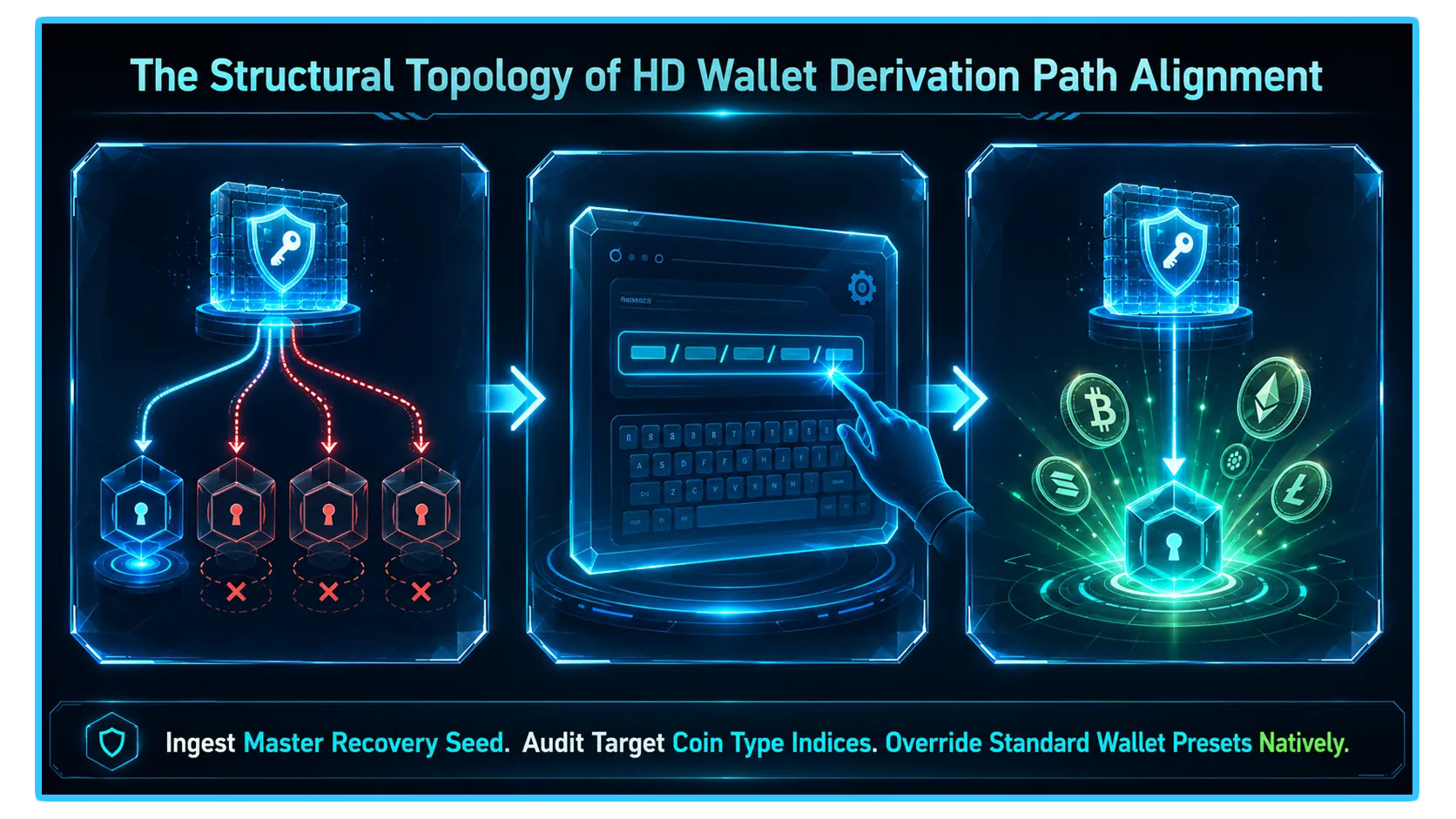
- To solve a path mismatch like an on-chain forensic accountant, you must understand how modern Hierarchical Deterministic (HD) Wallets operate under standard industry protocols (such as BIP-32 and BIP-44).
- A standard derivation path looks like a string of letters and numbers separated by slashes: m / purpose' / coin_type' / account' / change / address_index.
m/44'/60'/0'/0/0, where 60' tells the engine to look exclusively for Ethereum assets. However, if your original wallet provider used an alternate custom index—such as an older legacy framework or a specialized multi-account structure, and your new software searches using a modern default path, the app will generate completely different addresses, making your active accounts appear completely empty.MetaMask Standard: Typically uses
m/44'/60'/0'/0/0Ledger Live Standard: Typically uses
m/44'/60'/0'/0/0Ledger Legacy (MEW/MyCrypto era): Typically uses
m/44'/60'/0'/0Solana (Phantom/Solflare defaults): Can alternate between
m/44'/501'/0'orm/44'/501'/0'/0'
Deploy an Advanced Wallet with Custom Overrides
Standard consumer wallet interfaces often lock their derivation paths to a single fixed option to keep things simple for retail users. To bypass this restriction, you must import your recovery phrase into an advanced, developer-friendly wallet interface (such as Rabby Wallet for EVM chains or Phantom for multi-chain environments) that natively supports custom path overrides.
Manually Input the Correct Path String
- Initiate the wallet restoration module and enter your secure seed phrase words sequentially.
- When the app presents the address derivation screen, click on the dropdown menu labeled Advanced, Change Derivation Path, or Custom Path.
- Select the option that matches your original wallet architecture, or type the precise alphanumeric string manually into the configuration field.
- Click confirm, and your original public addresses, along with your entire historical balance sheet, will instantly materialize in your wallet portfolio view.
The Ultimate Safety Net: Advanced Offline Recovery Tools
In rare scenarios where modern wallet extensions refuse to accept a highly obscure legacy path, you can deploy a specialized open-source recovery script known as the Ian Coleman BIP39 Tool.
The Air-Gapped Security Directive: Because entering a seed phrase into a website interface exposed to the live internet is an incredibly dangerous security error, you must download the source HTML file of the tool and run it strictly on a permanently air-gapped, offline computer machine.
Once open in your secure, offline browser sandbox, input your seed phrase into the mnemonic field, scroll down to the Derivation Path tab, select your specific coin target, and toggle custom parameters. The script will instantly compute an infinite vertical list of every single private key and public address matching that path structure. Copy the individual private key of your specific missing address, move it back to your active wallet via a secure QR code or encrypted drive, and import it directly to regain absolute mobility over your funds.
Real-Time Telemetry and Asset Tracking via DEXTools
- Successfully recovering your missing addresses by realigning your derivation paths completely eliminates your immediate capital freeze. However, restoring your access parameters is only half the battle; managing your newly recovered capital effectively requires continuous validation of live ecosystem conditions.
- If your recovered portfolio contains long-tail assets, legacy tokens, or forgotten liquidity pool stakes across alternative layer networks, checking real-time trading trends, transaction velocities, and pool depth is the only way to protect your active treasury from executing trades into shallow, unoptimized order books.
- DEXTools provides the critical analytical data infrastructure needed to perform these diagnostic verifications in real-time. By utilizing advanced multi-chain pair trackers, live transaction logs, and look-through wallet telemetry, market participants can instantly verify the structural health of any token market.
- Cross-referencing your hardware security layers with live market telemetry ensures your active portfolio parameters remain completely optimized, keeping your digital wealth securely protected from hidden pool contractions or sudden liquidity shifts across alternative networks.
You can access DEXTools here and start trading today!
How to Recover a Crypto Wallet With a Seed Phrase MetaMask Token Not Showing Balance? How to Fix It Fast How to Use Ledger Hardware Wallet: Complete Security Tutorial How to Recover Tokens Sent to the Wrong NetworkDisclaimer: This article is for informational purposes only and does not constitute investment advice, financial advice, trading advice, or any other kind of advice. DEXTools does not recommend buying, selling, or holding any cryptocurrency or token. Users should conduct their own research and consult with a qualified financial advisor before making any investment decisions. Cryptocurrency investments are volatile and high-risk. DEXTools is not responsible for any losses incurred.