MetaMask Token Not Showing Balance? How to Fix It Fast
— By AliceOnChain in Tutorials
Discover why your MetaMask wallet might fail to display your token balances and learn the step-by-step process to manually add custom assets, audit contract addresses, and verify real-time market data.
How to Add a Custom Token to MetaMask When the Balance Is Not Showing
Connecting to the decentralized financial ecosystem requires reliable infrastructure, yet web3 wallets occasionally present technical anomalies that can disrupt a trader's workflow. One of the most frequent friction points encountered by retail traders is a metamask token not showing balance after a swap or a transfer.
When an asset balance displays as zero or fails to appear entirely under your wallet's asset tab, it rarely implies that your funds are lost. Instead, it typically points to a communication gap between the user interface and the underlying blockchain network. Understanding how to diagnose these display issues using a combination of manual wallet configurations and robust on-chain analytics tools is crucial for navigating volatile markets effectively.
Why MetaMask Fails to Display Your Token Balance
Web3 wallets function as windows to the blockchain rather than physical storage units. When MetaMask queries the network to display your portfolio, it relies on automated asset detection lists or specific RPC (Remote Procedure Call) nodes. There are several reasons why this process might stall.
Automated Detection Limitations
MetaMask utilizes curated lists of prominent tokens to automatically populate your wallet interface. If you are trading newly launched micro-cap tokens, participating in early-stage presales, or interacting with niche liquidity pools, the asset may not yet be indexed by the wallet’s default registry.
Network Desynchronization
High network congestion or intermittent RPC node latency can prevent your wallet from pulling real-time data from the smart contract. During periods of extreme market volatility—often characterized by sharp shifts in volume and rapid price action—node responses can lag, leading to inaccurate portfolio displays.
Smart Contract Migrations and Forks
If a project undergoes a token migration, an upgrade to its smart contract architecture, or a network fork, the old contract address becomes obsolete. Your wallet will continue to look at the legacy contract, which may now show a zero balance, while your actual assets reside under the new, unlisted contract address.
Step-by-Step: How to Manually Add a Custom Token to MetaMask
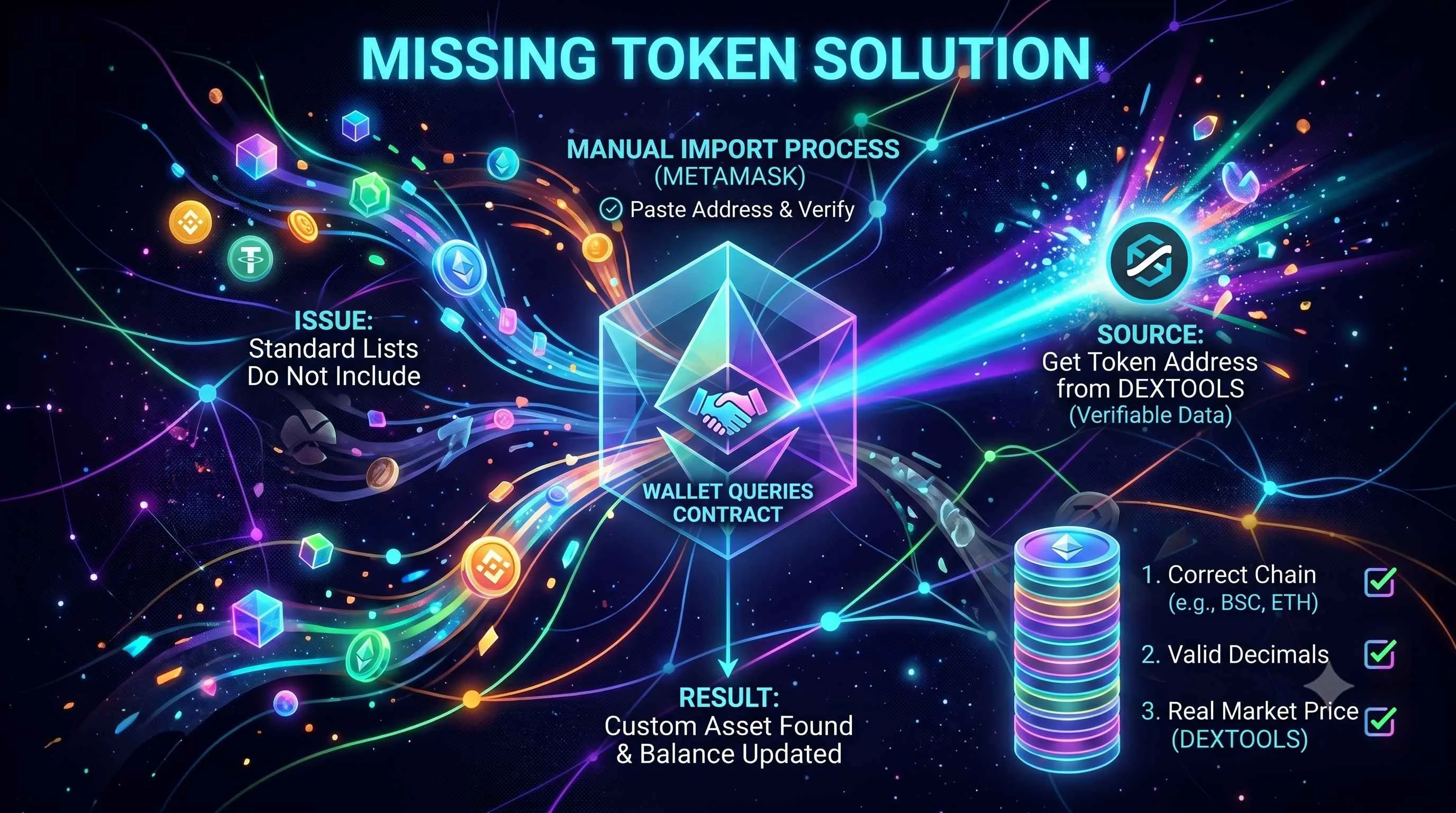
When automated detection fails and you find your metamask token not showing balance, you must manually guide the wallet to the correct smart contract. Follow this rigorous framework to restore visibility to your assets.
Step 1: Secure the Valid Token Contract Address
Never search for a contract address via a standard search engine, as this exposes you to phishing risks and malicious copycat contracts. Instead, leverage trusted analytical platforms to find verified data.
Navigate to the DEXTools Pair Explorer and input the token name or ticker symbol. By examining the token's trading pair, you can cross-reference the exact smart contract address listed under the pool details. Copying the contract address directly from a live trading interface ensures you are interacting with the version that holds active market liquidity.
Step 2: Access the Custom Token Interface in MetaMask
Open your MetaMask extension or mobile application. Ensure that your wallet is set to the correct blockchain network (e.g., Ethereum Mainnet, BNB Chain, or Arbitrum) where the transaction took place.
Scroll to the bottom of your asset list under the "Tokens" tab and click on Import Tokens. From the two options provided, select the Custom Token tab.
Step 3: Input Contract Details
Paste the verified contract address into the Token contract address field.
In most instances, MetaMask will automatically query the blockchain and populate the Token symbol and Token decimal fields. If it fails to do so, you can manually enter the ticker symbol and the standard decimal configuration (which is historically 18 for most ERC-20 tokens). Click Next, and then select Import Tokens. Your accurate balance should now be visible within the main wallet dashboard.
Validating Asset Authenticity and Market Health
Resolving a missing balance is only the first step in risk management. Once the token is visible in MetaMask, an analytical trader must verify that the asset possesses actual market utility, healthy volume, and legitimate liquidity structures.
Verifying Liquidity and Volume
A visible token balance is functionally meaningless if the underlying pool lacks deep liquidity. Before attempting to execute a trade or clear a position, use DEXTools to audit the pair's available liquidity. Low liquidity pools are highly susceptible to slippage, meaning even modest sell orders can trigger drastic downward price action. Monitoring the 24-hour trading volume relative to the total liquidity locked provides a clear window into the asset's current market sentiment and stability.
Analyzing Holder Distribution
An uneven asset distribution can signal structural risks for retail participants. By utilizing features like Holder Analysis and integrated tools such as Bubblemaps on DEXTools, you can evaluate whether a small cluster of whale addresses controls a disproportionate percentage of the circulating supply. If a handful of wallets hold dominant positions, their individual selling behavior can generate massive volatility and break key support levels.
Tracking Price Action and Technical Metrics
When assets fail to show up or drop suddenly in perceived value, checking the broader market context helps separate technical wallet errors from systemic sell-offs. Analyzing the asset’s charts through reliable data feeds allows you to identify critical support and resistance zones. For example, if a token is experiencing a sharp correction while its Relative Strength Index (RSI) demonstrates a stark divergence on the hourly chart, the asset may be nearing an oversold inflection point, regardless of temporary wallet display glitches.
Troubleshooting Persistent Wallet Anomalies
If manually importing the contract address does not resolve the problem and you are still experiencing an issue with your metamask token not showing balance, the underlying trouble may stem from deeper network configuration errors or caching conflicts.
RPC Network Swapping
If your wallet is connected to a degraded RPC node, it will fail to read smart contract balances accurately. You can remedy this by navigating to your MetaMask settings, selecting Networks, and replacing the default RPC URL with a verified public alternative or a private RPC endpoint. This refreshes the pipeline between your wallet interface and the blockchain state.
Clearing Local Wallet Cache
Occasionally, localized browser data can corrupt the state of web3 extensions. If your on-chain balance is clearly visible when pasting your public wallet address into an explorer like Etherscan, but MetaMask still shows zero after a manual import, resetting the wallet application may be necessary. Clearing the privacy data or re-installing the extension using your secure seed phrase can force the application to index your portfolio cleanly from scratch.
Conclusion: Developing a Secure Workflow
Encountering a metamask token not showing balance can be an unsettling experience, but systematically applying on-chain verification turns a stressful event into a routine administrative check. By relying on objective data points—such as verified contract addresses, live volume metrics, and transparent liquidity tracking—you remove ambiguity from your trading operations.
In the decentralized landscape, the responsibility of data verification rests entirely on the individual. Developing a strict habit of cross-referencing your wallet state with live on-chain analytics platforms protects you from fraudulent contracts, enhances your market awareness, and ensures that you maintain full control over your digital assets.
How to Add a Custom Token to MetaMask: Step-by-StepBest On-Chain Analytics Tools 2026
What Is NodeReal: BNB Chain Infrastructure, RPC and Data APIs
How to Add a Custom Network to MetaMask
Disclaimer: This article is for informational purposes only and does not constitute investment advice, financial advice, trading advice, or any other kind of advice. DEXTools does not recommend buying, selling, or holding any cryptocurrency or token. Users should conduct their own research and consult with a qualified financial advisor before making any investment decisions. Cryptocurrency investments are volatile and high-risk. DEXTools is not responsible for any losses incurred.