How to Use Backpack Wallet: Beginner Guide
— By Tony Rabbit in Tutorials
Learn how to use Backpack Wallet: set up, fund, connect to dApps, and secure your crypto assets with this comprehensive beginner guide.
How to Use Backpack Wallet: The Definitive Beginner's Guide (2026 Edition)
Backpack Wallet is a self-custody wallet engineered for web3 users seeking rapid on-chain access, streamlined asset management, and a native experience within the decentralized ecosystem. It's particularly favored within the Solana ecosystem for its seamless integration with dApps and wallet-first trading flows. To use Backpack Wallet effectively, begin by installing it from official sources, creating a new wallet or importing an existing one, and immediately backing up your recovery phrase offline. Fund it with a small test amount, and always verify network, permissions, and transaction details before connecting to dApps or signing transactions to ensure maximum security and control over your digital assets.
What is Backpack Wallet? A Foundation for Web3 Interaction
Backpack Wallet is a non-custodial digital wallet designed to empower users with full control over their on-chain assets. Unlike centralized exchanges, Backpack Wallet puts the keys directly in your hands, enabling you to manage cryptocurrencies, NFTs, and interact with decentralized applications (dApps) without intermediaries. It's a critical tool for anyone looking to actively participate in the web3 ecosystem, particularly within the Solana network, offering a blend of security, speed, and user-friendly design.
Backpack Wallet vs. Centralized Exchange Account: Understanding the Core Difference
The fundamental distinction between Backpack Wallet and a centralized exchange (CEX) account lies in asset custody. With Backpack Wallet, you hold your private keys, meaning you are the sole controller of your funds. A CEX, however, holds your assets on your behalf, acting as a custodian. This difference impacts everything from security responsibility to the types of activities you can perform.
The Backpack Wallet Setup Flow: A Step-by-Step Guide
Setting up your Backpack Wallet is a straightforward process, but each step carries significant weight regarding your security. Follow these instructions carefully.
- Step 1: Install Backpack Wallet Safely (Official Sources Only). Your first and most crucial step is to download the Backpack Wallet extension or app exclusively from its official website (e.g., backpack.app) or verified app stores. Scammers frequently create fake versions to steal your funds. Double-check the URL, developer name, and reviews. Never click on suspicious links from emails, social media, or unverified sources.
- Step 2: Create a New Wallet or Import an Existing One.
- Create New Wallet: Choose this option if you're starting fresh. The wallet will generate a new set of private keys and a recovery phrase for you. This is ideal for isolating risk from other wallets or if you're new to crypto.
- Import Existing Wallet: Select this if you already have a recovery phrase (seed phrase) from a compatible wallet (e.g., Phantom Wallet, Solflare). Carefully enter your 12 or 24-word phrase. Be extremely cautious during this step, as any error or exposure of your phrase could compromise your funds.
- Step 3: Back Up Your Recovery Phrase IMMEDIATELY. This is the most critical step. Your recovery phrase (also known as a seed phrase or mnemonic phrase) is the master key to your wallet. If you lose it, you lose access to your funds. If someone else gets it, they gain full access. Write it down physically on paper, store it in multiple secure, offline locations (e.g., a fireproof safe, a secure vault). Do NOT store it digitally (screenshots, cloud storage, email, text files). Do NOT share it with anyone, ever.
- Step 4: Set a Strong Password. Create a robust password for your wallet. This password encrypts your local wallet data and is required to unlock the extension or app on your device. While important, remember that your password only protects local access; your recovery phrase is the ultimate backup.
- Step 5: Fund Your Wallet with a Small Test Amount. Before transferring significant funds, send a small, inconsequential amount of Solana (SOL) or another supported token to your new Backpack Wallet address. Confirm it arrives successfully. This verifies your setup and address are correct, preventing costly mistakes with larger sums.
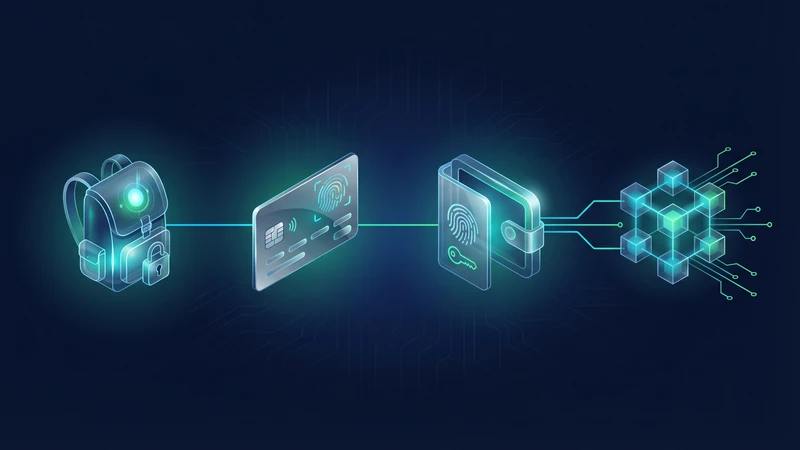
Understanding Your Backpack Wallet Interface
Once set up, familiarize yourself with the Backpack Wallet interface. You'll typically find sections for:
- Assets: Displays your cryptocurrency balances and NFTs.
- Activity: A history of your transactions.
- Send/Receive: Functions to transfer assets.
- Settings: Options for network selection, security, and wallet management.
- Connected Sites: Shows which dApps your wallet is currently connected to.
How to Fund Your Backpack Wallet
To use your Backpack Wallet for transactions or dApp interactions, you'll need to fund it with cryptocurrency. Solana (SOL) is typically required for transaction fees on the Solana network.
- Locate Your Wallet Address: Open your Backpack Wallet and find your public wallet address. It usually starts with 'G' or 'H' for Solana addresses. Copy this address carefully.
- Transfer from an Exchange: Go to your preferred centralized exchange (e.g., Binance, Coinbase, Kraken). Initiate a withdrawal of the desired cryptocurrency (e.g., SOL, USDC) to your Backpack Wallet address. Ensure you select the correct network (Solana network for SOL/USDC-SPL).
- Transfer from Another Wallet: If you have funds in another self-custody wallet, initiate a 'Send' transaction to your Backpack Wallet address. Again, confirm the network.
Connecting Backpack Wallet to Decentralized Applications (dApps)
Connecting your Backpack Wallet to dApps is how you interact with the decentralized web, from trading on DEXs to minting NFTs or participating in DeFi protocols.
- Navigate to the dApp: Open your web browser and go to the official website of the dApp you wish to use.
- Find the "Connect Wallet" Button: Most dApps have a prominent "Connect Wallet" or "Launch App" button, usually in the top right corner.
- Select Backpack Wallet: A pop-up will appear, listing various wallet options. Select "Backpack" (or sometimes "Solana Wallet" if Backpack is not explicitly listed, then choose Backpack from the sub-options).
- Approve Connection: Your Backpack Wallet will prompt you to approve the connection. Review the requested permissions carefully. Only connect if you trust the dApp and understand what permissions you are granting.
- Interact with the dApp: Once connected, your wallet address will typically appear on the dApp, and you can now initiate transactions (e.g., swap tokens, stake assets, buy NFTs).
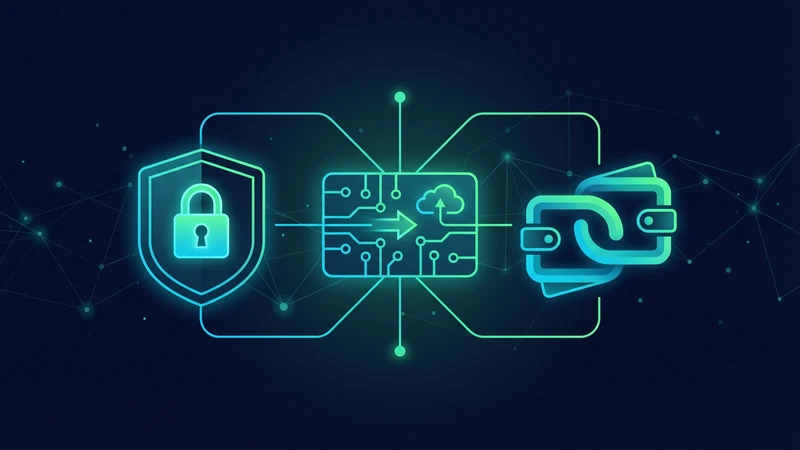
Executing Transactions and Understanding Signatures
Every action you take on a dApp that involves your assets will require you to sign a transaction with your Backpack Wallet. This is your digital consent.
- Review Transaction Details: Before clicking "Approve" or "Sign" in your wallet, meticulously review all transaction details. Check the amount, the recipient address, the asset being sent, and any associated fees.
- Understand Permissions: Some dApps might request permissions to spend certain tokens on your behalf (e.g., for DEX swaps). Understand the implications of such approvals.
- Gas Fees (Transaction Fees): On Solana, transaction fees are paid in SOL and are typically very low. Ensure you always have a small amount of SOL in your wallet to cover these fees.
Backpack Wallet Security Checklist: Mistakes to Avoid
Security is paramount in self-custody. Adhering to these practices will significantly reduce your risk.
Advanced Wallet Hygiene and Best Practices
Beyond the basics, adopting advanced wallet hygiene practices can further fortify your security posture:
- Multiple Wallets: Consider using different wallets for different purposes (e.g., a "hot" wallet for daily dApp interactions with minimal funds, and a "cold" wallet or hardware wallet for long-term storage of significant assets).
- Transaction Simulation: Utilize tools or features that simulate transactions before execution, showing you the potential outcome and any associated risks.
- Regular Audits: Periodically review your connected dApps and revoke permissions for those you no longer use or trust.
- Stay Informed: Keep up-to-date with common web3 scams and security best practices. Follow official Backpack Wallet channels for announcements and security alerts.
Troubleshooting Common Backpack Wallet Issues
While Backpack Wallet is generally robust, you might encounter minor issues:
- Wallet Not Connecting to dApp: Try refreshing the dApp page, clearing your browser cache, or restarting your browser. Ensure your Backpack Wallet is unlocked.
- Transactions Failing: Check if you have enough SOL for gas fees. Sometimes, network congestion can cause delays; try again later. Ensure the dApp's smart contract is not experiencing issues.
- Assets Not Displaying: Ensure you are on the correct network (e.g., Solana Mainnet). Sometimes, a simple refresh of the wallet or browser can resolve this.
- Lost Password: If you forget your Backpack Wallet password, you can usually reset it by importing your recovery phrase. This highlights the importance of keeping your recovery phrase secure.
How DEXTools Helps You Navigate the Solana Ecosystem
While Backpack Wallet empowers your self-custody, DEXTools complements your web3 journey by providing essential market intelligence. As you use your Backpack Wallet to interact with Solana-based decentralized exchanges (DEXs), DEXTools offers real-time price charts, trading data, and analytics for a vast array of tokens. This allows you to make informed decisions before executing trades directly from your Backpack Wallet, enhancing your trading strategy and risk management within the dynamic Solana ecosystem.
Conclusion: Mastering Self-Custody with Backpack Wallet
Backpack Wallet is an indispensable tool for anyone serious about engaging with the web3 world, especially on Solana. By understanding its core functionalities, meticulously following security protocols, and adopting best practices for wallet hygiene, you can unlock the full potential of decentralized finance, NFTs, and other on-chain activities with confidence and control. Remember, with great control comes great responsibility; your diligence is your best defense in the decentralized frontier.
Frequently Asked Questions
What is Backpack Wallet and why is it important?
Backpack Wallet is a self-custody crypto wallet that gives you full control over your digital assets. It's crucial for interacting with decentralized applications (dApps) and participating in the web3 ecosystem, particularly on Solana, without relying on intermediaries.
How do I install Backpack Wallet safely?
Always install Backpack Wallet only from its official website (e.g., backpack.app) or verified app stores. Avoid clicking on suspicious links from emails, social media, or unverified sources to prevent downloading fake, malicious versions.
What is a recovery phrase and why is it so important?
Your recovery phrase (or seed phrase) is a series of 12 or 24 words that acts as the master key to your wallet. It's essential because it's the only way to restore access to your funds if you lose your device or forget your password. Losing it or sharing it means losing your assets.
How do I fund my Backpack Wallet?
To fund your Backpack Wallet, copy your public wallet address from the wallet interface. Then, send cryptocurrency (like SOL for Solana network fees) from a centralized exchange or another self-custody wallet to this address. Always send a small test amount first.
How do I connect Backpack Wallet to a dApp?
Navigate to the official dApp website, find the 'Connect Wallet' button, select 'Backpack' (or 'Solana Wallet' then Backpack), and approve the connection in your wallet. Always review requested permissions carefully before connecting.
What are the biggest security mistakes to avoid?
Never share your recovery phrase or private keys. Avoid storing your recovery phrase digitally. Always verify dApp URLs to prevent phishing. Meticulously review all transaction details before signing. Do not blindly approve transactions.
Can I use Backpack Wallet for trading on centralized exchanges?
Backpack Wallet is for self-custody and dApp interaction. For trading on centralized exchanges like Backpack Exchange, you would typically use your exchange account, which involves KYC and direct deposits to the exchange's custody. This guide focuses on the self-custody wallet, not the exchange.
What should I do if I forget my Backpack Wallet password?
If you forget your password, you can usually regain access to your wallet by importing your recovery phrase. This process will allow you to set a new password. This underscores the critical importance of securely backing up your recovery phrase.
How does DEXTools help with using Backpack Wallet?
DEXTools provides real-time market data, charts, and analytics for tokens traded on decentralized exchanges (DEXs), especially within the Solana ecosystem. This information helps you make informed decisions when using your Backpack Wallet to execute trades or interact with DeFi protocols.