How to Use Maestro: Multi-Chain Telegram Trading Workflow (2026)
— By Tony Rabbit in Tutorials

Learn how to use Maestro in 2026 for multi-chain Telegram trading, safer chain setup, dedicated wallets, Trade Monitor, and limit-order workflow.
Maestro is a multi-chain Telegram trading bot designed to accelerate trade execution. It helps users configure chains, manage dedicated wallets, set buy/sell defaults, and monitor positions with tools like Trade Monitor and limit orders. While fast, it requires wallet discipline, contract verification, and exit planning to avoid punishing sloppy setups.
Learning how to use Maestro Telegram trading bot is mostly about understanding where the bot helps and where it does not. Maestro can make execution faster inside Telegram, but it does not remove the need for wallet discipline, contract verification, or exit planning. If anything, a fast bot punishes sloppy setup even harder.
This updated guide is built to solve that exact problem. Instead of treating Maestro like a magic sniper button, it walks through the workflow that actually matters in 2026: enabling the right chains, using a dedicated wallet, setting your buy and sell defaults before the first live trade, and managing positions with Trade Monitor and limit orders instead of pure impulse.
Where this page fits Maestro is the multi-chain configuration-heavy option in this Telegram bot family. For the high-level framework, read Telegram Trading Bots 2026. For chain-specific comparisons, use Ethereum, Arbitrum, Base, or Optimism.
Quick answer
Quick answer
- Use Maestro as an execution layer, not as a place to store long-term capital.
- Start by enabling only the chains you actually trade and by generating a dedicated wallet for the bot workflow.
- Before the first live trade, define your global buy, sell, gas, and approval settings so speed does not turn into bad risk management.
What Maestro actually does in 2026
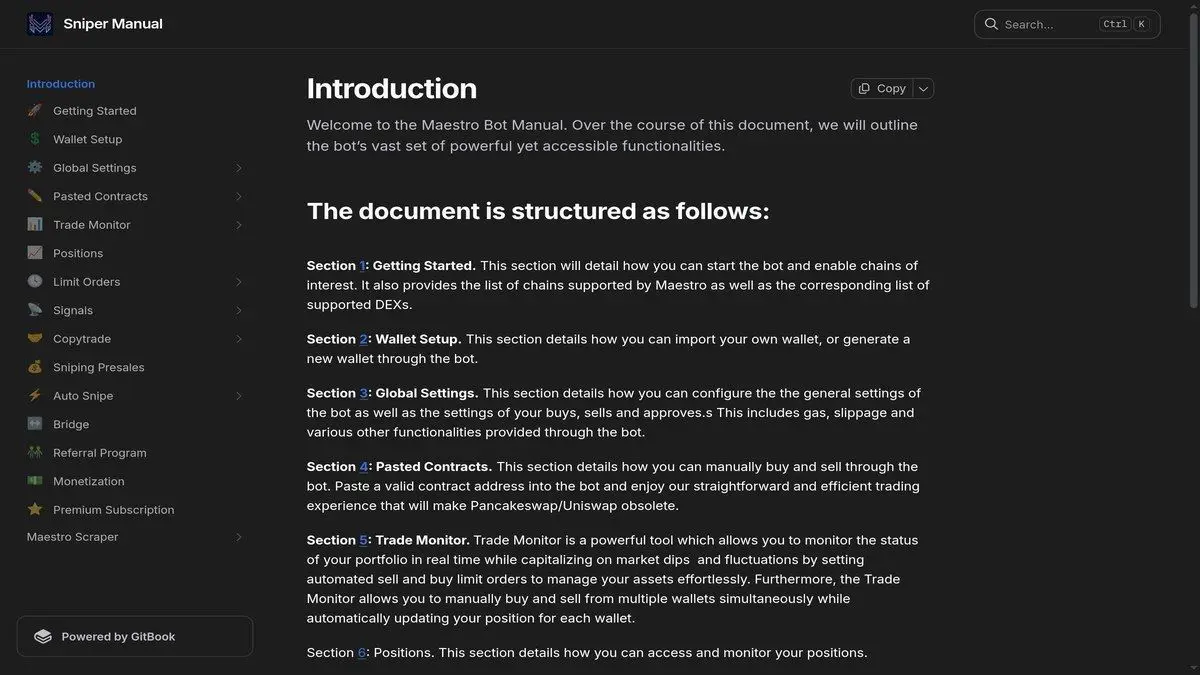
Maestro is a multi-chain Telegram trading bot built around faster execution and tighter position management inside chat. According to its current documentation, it supports BSC, Ethereum, Arbitrum, Base, Avalanche, Sonic, Tron, TON, and Solana, along with chain-specific DEX routes such as Uniswap, SushiSwap, Aerodrome, Camelot, Raydium, and Pump.fun style flows depending on the chain.
The TON-native answer: Not.Trade
If the bots compared here serve Solana, Ethereum or Base, the equivalent on TON is Not.Trade, a Telegram-native terminal positioned as the fastest on TON. It brings the same workflow that traders expect from BonkBot, Trojan or GMGN (sniper, copy trade, limit orders, multi-wallet) plus features Solana bots typically lack: MCAP-trigger limit orders and a built-in insider safety panel covering Top 10 holders, snipers, dev wallet movement, bundlers and LP lock status.
Open the Not.Trade complete guide ->Why traders use it
What Maestro is not
Official links and resources
- Telegram bot: @maestro
- Portal: @MaestroBots
- Docs: docs.maestrobots.com
Step 1: Start the bot, then enable only the chains you trade
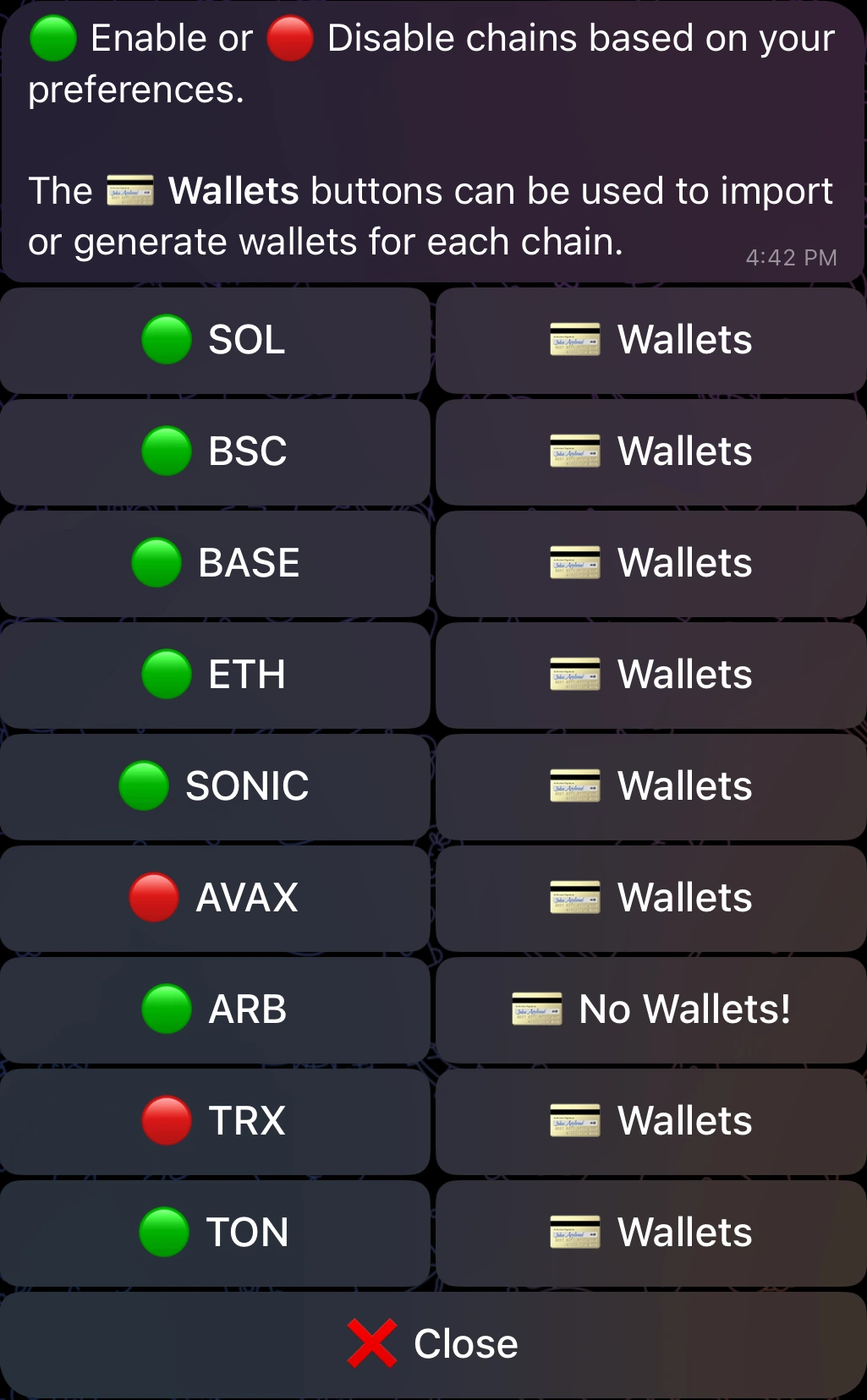
The first clean setup step is not funding a wallet. It is narrowing the bot to your real workflow. Maestro documents support for nine chains, but that does not mean every trader should leave every chain enabled. If you mainly trade Base and Arbitrum, keep the interface focused there. Extra chains create more noise, more menu friction, and more room for mistakes.
Step 2: Use a dedicated wallet instead of importing your main one
This is one of the best pieces of advice in the official documentation, and it deserves far more emphasis than most bot guides give it. Maestro explicitly recommends generating a new wallet instead of importing your existing main wallet. That is the right starting point for most users.
A dedicated bot wallet lets you limit exposure, segment activity by chain or strategy, and keep your larger holdings outside the faster execution environment. If you want to keep using the wallet elsewhere, write down the credentials safely and avoid sloppy clipboard handling. The operational idea is simple: Maestro should touch trading capital, not everything you own.
Dedicated wallet vs main wallet import
Step 3: Configure global settings before the first live buy
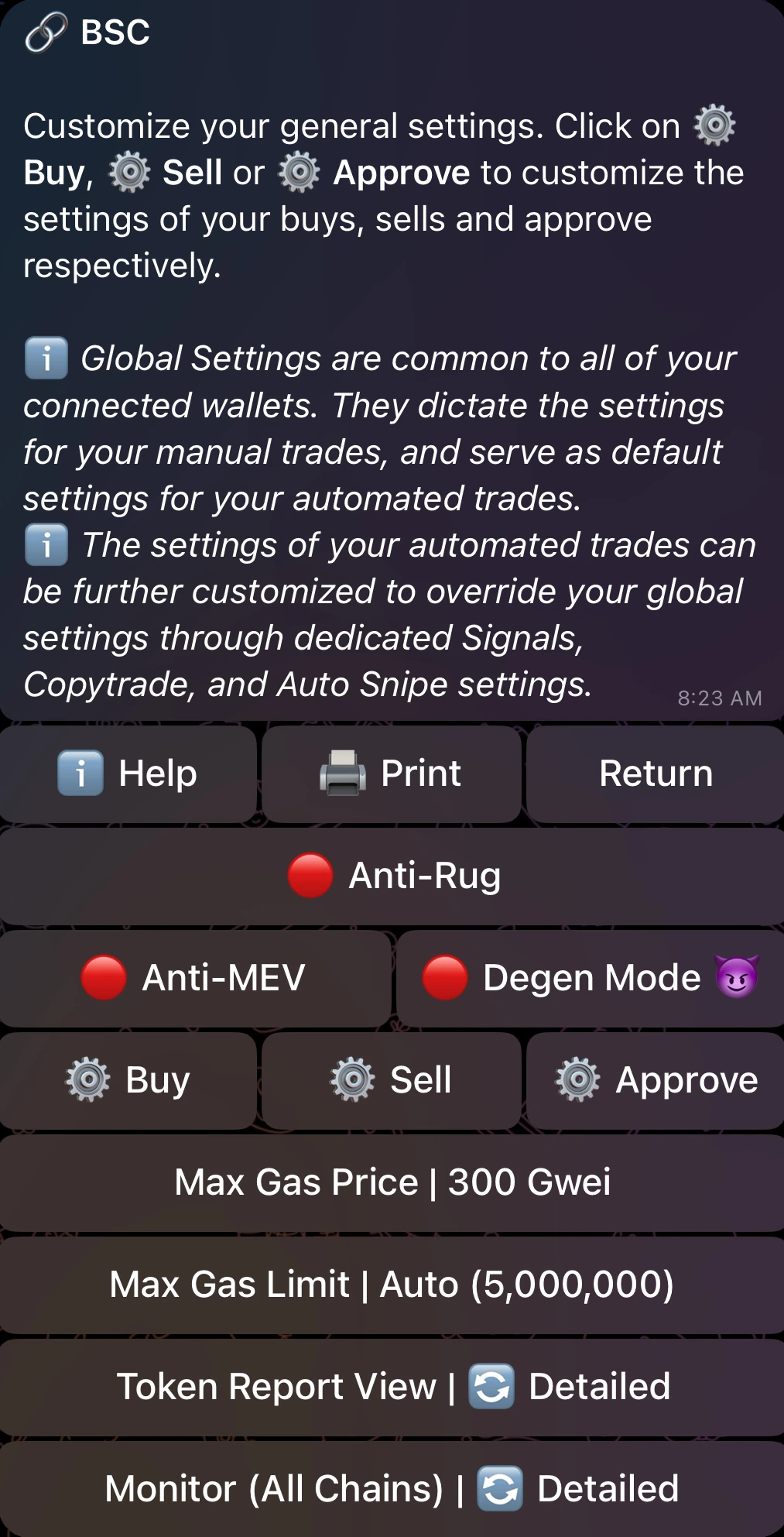
This is where the article used to be too thin. The most important Maestro habit is deciding your defaults before a contract address ever appears. The bot groups settings into General, Buy, Sell, and Approve sections. That means your actual edge is not just speed. It is the ability to define how you want the bot to behave before pressure arrives.
Settings to lock in before trading
Step 4: Validate the token in DEXTools before you paste the contract
One of the cleanest ways to use Maestro with DEXTools is to separate analysis from execution. Use DEXTools to inspect the chart, liquidity, volume, pair age, contract context, and social links first. Then use Maestro only after the trade idea already makes sense.
Pre-trade checklist
- Confirm the correct contract on the correct chain.
- Check whether liquidity and volume look real rather than manufactured.
- Look at price structure and pair age before assuming the move has room.
- Only after that paste the contract into Maestro for execution.
If you reverse that order, the bot ends up deciding the trade tempo before you decide whether the trade deserves capital at all. That is backwards.
Step 5: Let Trade Monitor and limit orders do the real work after entry
Many users think the bot job ends at entry. In practice, the more useful edge often comes after entry. Maestro Trade Monitor summarizes positions, shows active orders, and keeps the exit logic in view. The documentation also notes anti-rug functionality on BSC and Ethereum inside Trade Monitor, which matters because protection and reaction speed are part of the product value, not just the buy button.
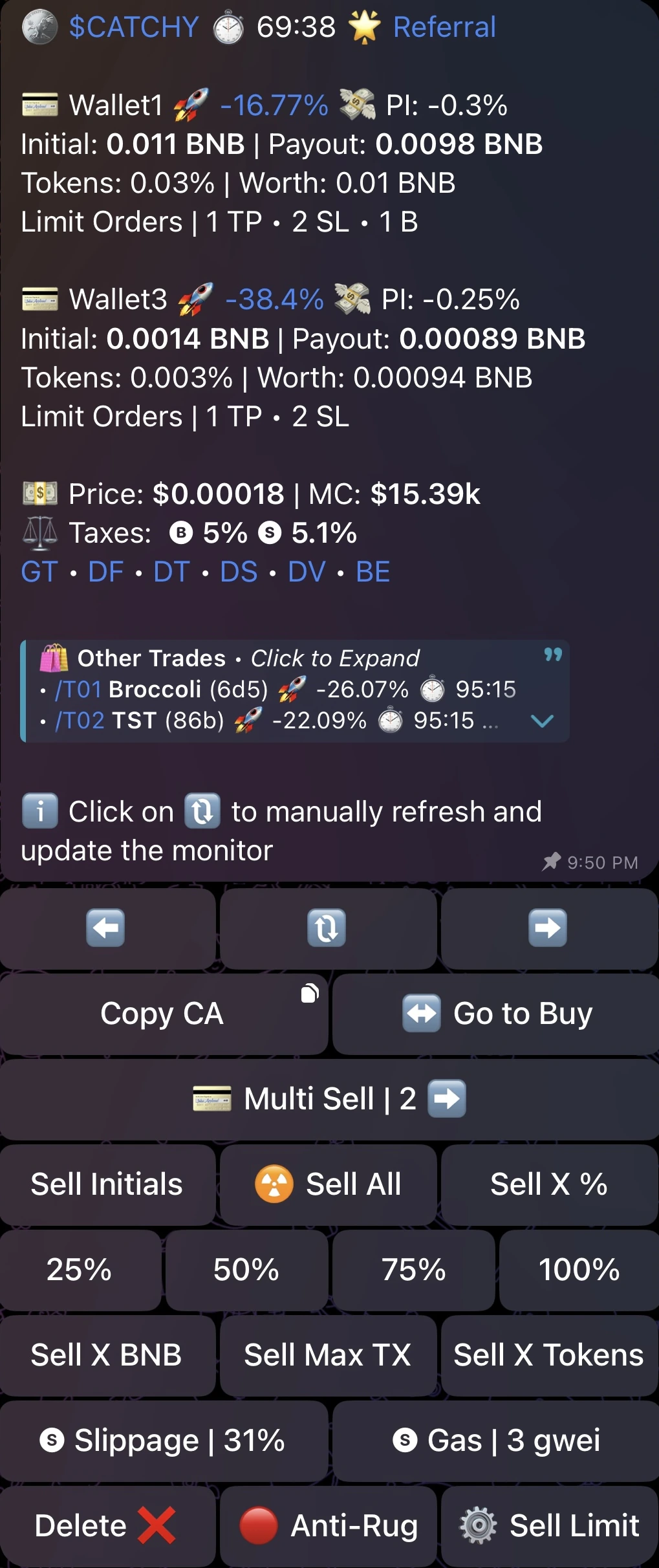
Just as important, limit orders let you stop trading every candle manually. That makes the workflow more systematic, which is exactly what a fast bot should be used for.
Features that matter most after the buy
Who Maestro fits best
Common Maestro mistakes to avoid
Frequently Asked Questions
Is Maestro safe to use?
It can be used safely, but only if you treat it like a hot execution tool. Use a dedicated wallet, limit funded capital, and validate trades before execution.
Should I import my main wallet into Maestro?
For most users, no. Maestro documentation itself recommends generating a new wallet instead of importing your main wallet.
What chains does Maestro support?
Current documentation lists BSC, Ethereum, Arbitrum, Base, Avalanche, Sonic, Tron, TON, and Solana.
Does Maestro support limit orders and trade monitoring?
Yes. Trade Monitor and limit-order tooling are core parts of the product and are some of the most useful features after entry.
Is Maestro better than trading directly in browser?
It is better for some fast Telegram-first workflows, but only if your process is already disciplined. Browser trading can still be better when you want slower review and less execution pressure.
Related DEXTools tutorials
Disclaimer: This article is for educational purposes only and does not constitute investment, tax, or legal advice. Bot interfaces, supported chains, and trading features can change over time. Always confirm the live settings and official documentation before using real capital.