How to Use Tensor NFT Marketplace: Complete Solana NFT Tutorial (2026)
— By Tony Rabbit in Tutorials

Learn how to use Tensor NFT Marketplace in 2026, from browsing collections and reading liquidity to placing listings, bids, and purchases without rushing into noisy floor-price moves.
Tensor is one of those products that makes Solana NFT trading feel fast enough to be dangerous. That is not a criticism. It is the reason the platform matters. Deep liquidity, fast pages, and active collection data are genuinely useful, but they also tempt users into acting on movement before they understand the collection, the fee structure, or the wallet action they are about to sign.
A good Tensor workflow is not about clicking faster. It is about reading the market surface properly. You want to know what collection you are looking at, how floor and listing depth behave, where bids sit, and whether you are buying because the setup is good or because the interface makes motion feel urgent. Once you separate those two feelings, Tensor becomes much more valuable.
Quick answer
- Use Tensor to compare listings, floor context, and bid depth, not just to react to the loudest number on screen.
- Before you sign anything, confirm which collection, which NFT, and which wallet action you are authorizing.
- If a collection is moving fast, slow yourself down with a clear max price and a clear reason to buy.
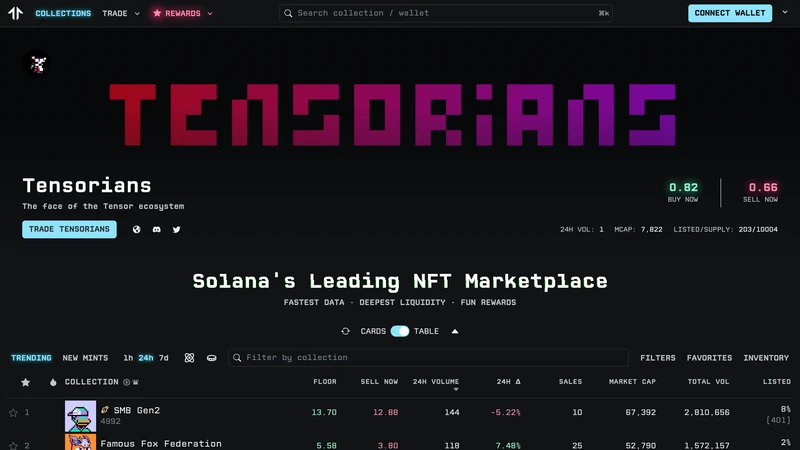
What Tensor Is Best Used For
Tensor is best used as a high-liquidity Solana NFT marketplace for users who want to browse collections, evaluate market activity, place listings, and work with bids in a more active way than basic buy-now browsing. The product positioning emphasizes deep liquidity, broad collection coverage, and advanced trading features. That matters because the right mental model is closer to market navigation than simple storefront shopping.
If you approach Tensor like a normal e-commerce checkout, you will miss most of the risk. NFTs are thinner than major spot tokens, collection sentiment can shift violently, and a fast interface can make weak decisions feel efficient. The right use of Tensor is to combine speed with selectivity. Read the collection page, understand where buyers are actually bidding, and know whether you are buying a specific NFT, participating in a floor trade, or providing liquidity through bids.
When Tensor is a strong fit
What to Prepare Before You Trade NFTs on Tensor
Before using Tensor, connect the Solana wallet you intend to trade with and make sure you have enough SOL for the purchase itself plus routine transaction costs. Then decide what kind of action you are taking. Buying a single NFT, posting a collection-wide bid, and listing an NFT you already own are very different workflows, even if they live inside the same marketplace. The clearer your intention is before you connect, the less likely you are to sign the wrong action because the interface is moving quickly.
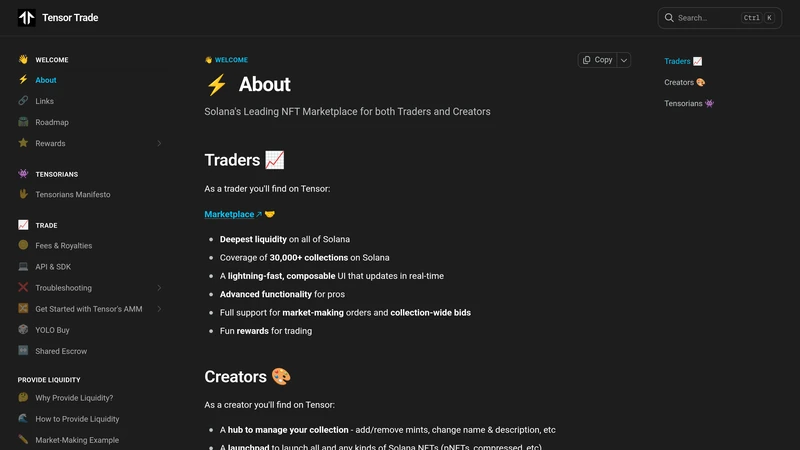
The four checks that matter before you act on Tensor
How to Use Tensor Step by Step
Start by opening the collection or creator area you actually want to research. Read the surface data, but do not stop there. Use the page to understand whether the market is liquid, thin, euphoric, or simply noisy. If you want a specific NFT, identify the item clearly. If you want broader exposure, think about whether a collection bid gives you better entry discipline than chasing visible listings. Tensor is strongest when you use the interface to structure your action, not when you let the interface trigger your action.
After you decide on the action, confirm the wallet prompt carefully. On NFT marketplaces, the danger is often not a complicated screen. It is a familiar-looking signature request taken in the wrong mental state. Once the action is live, verify it in the marketplace view. If you placed a bid, confirm it appears where expected. If you listed an NFT, confirm price and collection. If you bought, make sure the asset is visible in the wallet or portfolio context you actually use to track holdings.
A safer Tensor workflow
Common Tensor Mistakes to Avoid
Most Tensor mistakes are emotional rather than technical. Users chase floor moves without checking depth, confuse a specific-item purchase with a broader collection thesis, or approve wallet actions too casually because the marketplace feels familiar. That is how fast products create slow regrets.
Mistakes that make NFT trading messier than it needs to be
How to Troubleshoot a Confusing Tensor Market View
If a collection page feels chaotic, strip it back to basics. Are you on the correct collection? Are you reading floor movement or actual executed activity? Are visible listings meaningful, or are they simply there because attention is high? When in doubt, return to the question of what action you are actually trying to take and whether the current page state helps that action or distracts from it.
If a bid or listing seems missing, check the most recent activity and your wallet state before assuming failure. NFT market interfaces can feel noisy, and sometimes the issue is simply that you are looking for the result in the wrong place or expecting the page to update in a different way than it does. Clean verification beats impulse-refreshing.
Frequently Asked Questions
Is Tensor good for beginners?
Yes, if beginners treat it as a market interface rather than a game. Start small, stay selective, and confirm every wallet action.
What is the most important thing to check before buying on Tensor?
That you are on the correct collection and that the price you are paying makes sense relative to listings and bid depth.
Should I use buy now or collection bids on Tensor?
It depends on your goal. Buy now is useful for a specific NFT. Collection bids can be more disciplined if you are targeting exposure at a better average entry.
Why does Tensor feel faster than some NFT marketplaces?
Because the platform is built around liquidity, active traders, and a more execution-focused interface. That speed is helpful only if your decision process stays careful.
How should I approach my first Tensor purchase?
Choose one collection, set a clear max price, confirm the wallet prompt slowly, and verify the result after the transaction lands.
Related reading
- Top 5 NFT Marketplaces to Buy and Sell Digital Assets (2026)
- How to Use Backpack Exchange: Complete Solana Trading Tutorial (2026)
- How to Use Moonshot App Crypto: Complete Tutorial (2026)
Disclaimer: This article is for educational purposes only and not financial, legal, or tax advice. NFT markets are highly volatile and illiquid relative to major crypto assets. Always verify live marketplace conditions before trading.
Related Guides
- OpenSea vs Blur: NFT Marketplaces Compared (2026)
- How to Use OpenSea: Complete NFT Marketplace Tutorial (2026)
- How to Use Magic Eden: Complete Multi-Chain NFT Marketplace Tutorial (2026)
- How to Use Blur NFT Marketplace: Complete Tutorial (2026)
- What Is Spectral Network (SPEC)? The Onchain AI Agent Marketplace Explained in 2026