Kriptonuzu hackerlardan nasil korursunuz: guvenlik rehberi (2026)
— By Tony Rabbit in Tutorials
Kripto guvenlik rehberi 2026. Phishing ve SIM swap korunmasi.
In 2024 alone, hackers stole over $3.8 billion in cryptocurrency - and the numbers keep climbing. From sophisticated phishing campaigns and clipboard hijacking malware to SIM swap attacks and fake dApps, cybercriminals have become ruthlessly efficient at draining wallets in seconds. Whether you hold $500 or $500,000 in crypto, this guide gives you the complete playbook to lock down every layer of your security in 2026.
This is not a surface-level overview. We cover hardware wallets, hot wallet hardening, exchange security, DeFi safety, browser isolation, mobile protection, email defense, social media awareness, and a full emergency response plan. By the end, you will have a 20-point checklist you can follow today to make yourself an extremely hard target.
Table of Contents
- 2026 Hack Statistics - Why Security Matters Now
- Top Attack Vectors Hackers Use in 2026
- Wallet Security - Hot vs Cold Storage
- Seed Phrase Storage and Passphrase Protection
- Exchange Security Best Practices
- DeFi Security - Smart Contract Safety
- Browser Security and Isolation
- Mobile Device Security
- Email Security for Crypto Users
- Social Media Safety and Privacy
- Emergency Response Plan - What to Do If Hacked
- 20-Point Crypto Security Checklist
- Pros and Cons of Different Security Levels
- FAQ - Frequently Asked Questions
- Related Tutorials
1. 2026 Hack Statistics - Why Security Matters Now
The crypto security landscape has become significantly more dangerous. In 2024, $3.8 billion was stolen through hacks, exploits, and scams - a sharp increase from the $1.7 billion lost in 2023. The trend continued into 2025 and early 2026, with individual wallet drains becoming just as common as large-scale protocol exploits.
Key statistics: Over 60% of stolen funds in 2024-2025 came from phishing attacks targeting individual wallets, not protocol-level exploits. The average victim lost between $10,000 and $50,000 before even realizing what happened. North Korean state-sponsored group Lazarus was responsible for over $1.3 billion in thefts in 2024 alone.
Here is the uncomfortable truth: the vast majority of crypto theft is preventable. Hackers do not break unbreakable encryption. They exploit human error, weak configurations, and careless habits. If you follow the practices in this guide, you dramatically reduce your risk profile to near zero for most common attacks.
The financial cost is not the only concern. When your wallet is drained, those funds are almost always gone permanently. Unlike traditional banking where fraud can be reversed, blockchain transactions are final. Your security setup is your insurance policy, and this guide is your blueprint.
2. Top Attack Vectors Hackers Use in 2026
Understanding how hackers operate is the foundation of protecting yourself. Here are the most common and dangerous attack vectors used in 2026:
Phishing Attacks
Phishing remains the number one attack vector. Hackers create pixel-perfect replicas of popular wallet interfaces, exchanges, and DeFi platforms. They spread these links through fake Google ads, compromised Discord servers, spoofed emails, and even paid promotions on social media. A single click on a fake MetaMask approval popup can drain your entire wallet in seconds.
Social Engineering
Attackers impersonate customer support agents, project founders, influencers, and even friends. They contact you through DMs on Telegram, Discord, or X (Twitter) with urgent messages about airdrops, wallet migrations, or security alerts. The goal is always the same: trick you into revealing your seed phrase, signing a malicious transaction, or visiting a compromised URL.
Clipboard Hijacking
This sneaky malware silently monitors your clipboard. When you copy a crypto wallet address, it instantly replaces it with the attacker's address. You paste what you think is your own address, confirm the transaction, and the funds go straight to the hacker. This is why you should always verify the first and last several characters of any address before confirming a transaction.
Fake dApps and Malicious Smart Contracts
Fake decentralized applications look identical to real ones but contain malicious smart contracts designed to drain your wallet. Sometimes the approval request looks like a standard token swap, but the contract actually grants unlimited spending approval over your tokens. Learning to revoke token approvals is essential to limiting your exposure. Tools like honeypot detection can also help you avoid tokens designed to trap your funds.
SIM Swap Attacks
In a SIM swap attack, a hacker convinces your mobile carrier to transfer your phone number to a SIM card they control. Once they have your number, they can intercept SMS-based two-factor authentication codes, reset passwords to your exchange accounts, and drain your funds. This is why SMS-based 2FA should never be your only layer of protection.
Supply Chain Attacks
These sophisticated attacks target the software you trust. Hackers compromise open-source libraries, browser extensions, or even hardware wallet supply chains. The Ledger Connect Kit attack in late 2023, where malicious code was injected into a widely used JavaScript library, showed how a single compromised dependency can affect hundreds of dApps simultaneously. Always verify software signatures and only download from official sources.
Address Poisoning
Attackers send tiny transactions to your wallet from addresses that closely resemble your own (matching the first and last few characters). When you later copy an address from your transaction history, you might accidentally grab the attacker's look-alike address instead. Always type or scan addresses from a verified source rather than copying from transaction histories.
Rug Pulls and Token Scams
While not technically hacking, rug pulls remain one of the biggest sources of financial loss. Developers create tokens, hype them up, attract liquidity, then pull all funds and disappear. Using tools like Bubblemaps to analyze token holder distribution can help you spot suspicious concentration before you invest.
3. Wallet Security - Hot vs Cold Storage
Your wallet is the front door to your crypto. How you configure and use it determines whether a hacker can walk right in or gets stopped cold. The most important decision you will make is how you split your holdings between hot and cold storage.
Hot Wallets - Convenience with Risk
Hot wallets like MetaMask and Rabby Wallet are browser extensions or mobile apps connected to the internet. They are convenient for daily transactions, DeFi interactions, and quick trades. However, because they are always online, they are inherently more vulnerable to phishing, malware, and extension-based attacks.
Hot wallet best practices:
- Only keep what you need for active trading or DeFi - never store your main holdings here
- Use a dedicated browser profile exclusively for crypto (more on this in the browser security section)
- Enable all available security features: password lock, auto-lock timer, transaction simulation
- Rabby Wallet offers built-in transaction simulation that shows you exactly what a contract will do before you sign - this alone can prevent most phishing drains
- Regularly review and revoke unnecessary token approvals to minimize your attack surface
- Review our full guide on wallet security tips for additional hardening steps
Cold Wallets - Maximum Security for Long-Term Holdings
Cold wallets (hardware wallets) are physical devices that keep your private keys completely offline. Even if your computer is fully compromised with malware, a hardware wallet protects your funds because the private key never leaves the device. The two leading options in 2026 are the Ledger and Trezor product lines.
Cold wallet best practices:
- Store 80-90% of your total crypto holdings on a hardware wallet
- Only buy hardware wallets directly from the manufacturer - never from Amazon, eBay, or third-party sellers
- Verify the device is factory sealed and unmodified when it arrives
- Always verify transaction details on the hardware wallet's screen before confirming - never trust what your computer screen shows
- Keep firmware updated through official channels only
- Consider having a backup hardware wallet stored in a separate physical location
Pro Tip: Use a multi-wallet strategy. Keep a small amount in a hot wallet for daily use, your main holdings on a primary hardware wallet, and a backup hardware wallet in a safe deposit box or with a trusted family member. This way, even if one layer is compromised, your entire portfolio is not at risk.
4. Seed Phrase Storage and Passphrase Protection
Your seed phrase (recovery phrase) is the master key to all your crypto. If someone gets your seed phrase, they own everything in that wallet. No password, no 2FA, no hardware wallet can protect you once the seed phrase is exposed. Protecting it is the single most critical security measure you can take.
What You Should NEVER Do with Your Seed Phrase
- Never store it digitally - no screenshots, no notes app, no cloud storage, no email drafts, no password managers
- Never type it into any website, form, or application - no legitimate service will ever ask for it
- Never share it with anyone - not support agents, not friends, not family members who do not understand crypto security
- Never say it out loud in a place where you could be recorded or overheard
- Never store it in a single location with no backup
Recommended Seed Phrase Storage Methods
Metal backup plates: The gold standard. Products like Cryptosteel, Billfodl, or Blockplate allow you to stamp or engrave your seed words into stainless steel. These are fireproof (up to 1,500C/2,700F), waterproof, and corrosion-resistant. Store in a fireproof safe or bank safe deposit box.
Paper backup (secondary): Write your seed phrase on high-quality paper with a permanent marker. Place it in a sealed, waterproof bag. Store in a fireproof safe. This is acceptable as a secondary backup but should not be your only copy.
Split storage (advanced): Use Shamir's Secret Sharing or simply split your 24-word phrase into multiple parts stored in different locations. For example, words 1-8 at Location A, words 9-16 at Location B, and words 17-24 at Location C. This way, a thief who finds one piece cannot reconstruct your full seed phrase.
The BIP39 Passphrase - Your Hidden Layer
Both Ledger and Trezor support an optional passphrase (sometimes called the 25th word). This creates an entirely separate set of wallets derived from your seed phrase plus the passphrase. Even if an attacker gets your seed phrase, they cannot access your passphrase-protected wallets without also knowing the passphrase.
This gives you plausible deniability. You can set up a small amount of funds on the base seed (no passphrase) as a decoy, while your real holdings sit behind the passphrase. Store the passphrase separately from your seed phrase - never in the same location.
5. Exchange Security Best Practices
Even though the mantra is "not your keys, not your crypto," most people use centralized exchanges at some point. When you do, locking down your exchange account is critical. Here is how to harden every major exchange account:
Two-Factor Authentication (2FA)
Enable 2FA on every exchange account you use. But not all 2FA is equal:
- Best: Hardware security key (YubiKey) - phishing-resistant, cannot be intercepted remotely
- Good: Authenticator app (Google Authenticator, Authy) - time-based codes generated on your device
- Avoid: SMS-based 2FA - vulnerable to SIM swap attacks
If your exchange supports it, use a YubiKey as your primary 2FA method and an authenticator app as backup. Remove SMS-based 2FA entirely if possible.
Withdrawal Whitelist
Most major exchanges (Binance, Coinbase, Kraken, OKX) allow you to create a withdrawal address whitelist. When enabled, funds can only be sent to pre-approved addresses. Adding a new address typically requires a 24-48 hour waiting period and additional verification. This means that even if a hacker gains full access to your exchange account, they cannot immediately withdraw to their own address.
Enable this feature immediately. It is one of the most effective exchange security measures available.
Anti-Phishing Code
Binance, OKX, and several other exchanges allow you to set a custom anti-phishing code - a unique word or phrase that appears in every legitimate email from that exchange. If you receive an email claiming to be from the exchange but it does not contain your code, you know it is a phishing attempt. Set this up on every exchange that supports it.
Additional Exchange Hardening
- Use a unique, strong password for each exchange (20+ characters, generated by a password manager)
- Use a dedicated email address that you only use for crypto exchanges
- Enable login notifications and review them regularly
- Disable API access unless you actively use trading bots, and set strict IP whitelisting and permissions if you do
- Verify the URL in your browser bar every single time before logging in
- Bookmark exchange URLs and only access them through bookmarks - never through search engine results or links
- Do not keep more funds on an exchange than you need for active trading
6. DeFi Security - Smart Contract Safety
Decentralized finance introduces unique risks because you are interacting directly with smart contracts. A single careless approval can give a malicious contract unlimited access to your tokens. Here is how to stay safe in DeFi:
Approve Only What You Need
When a dApp asks you to approve token spending, it often requests unlimited approval by default. This means the smart contract can spend an infinite number of your tokens at any time in the future. Instead of accepting the default, manually set the approval amount to only what you need for the current transaction. In MetaMask, you can click "Edit" on the approval screen to set a custom spending cap.
Revoke Old Approvals Regularly
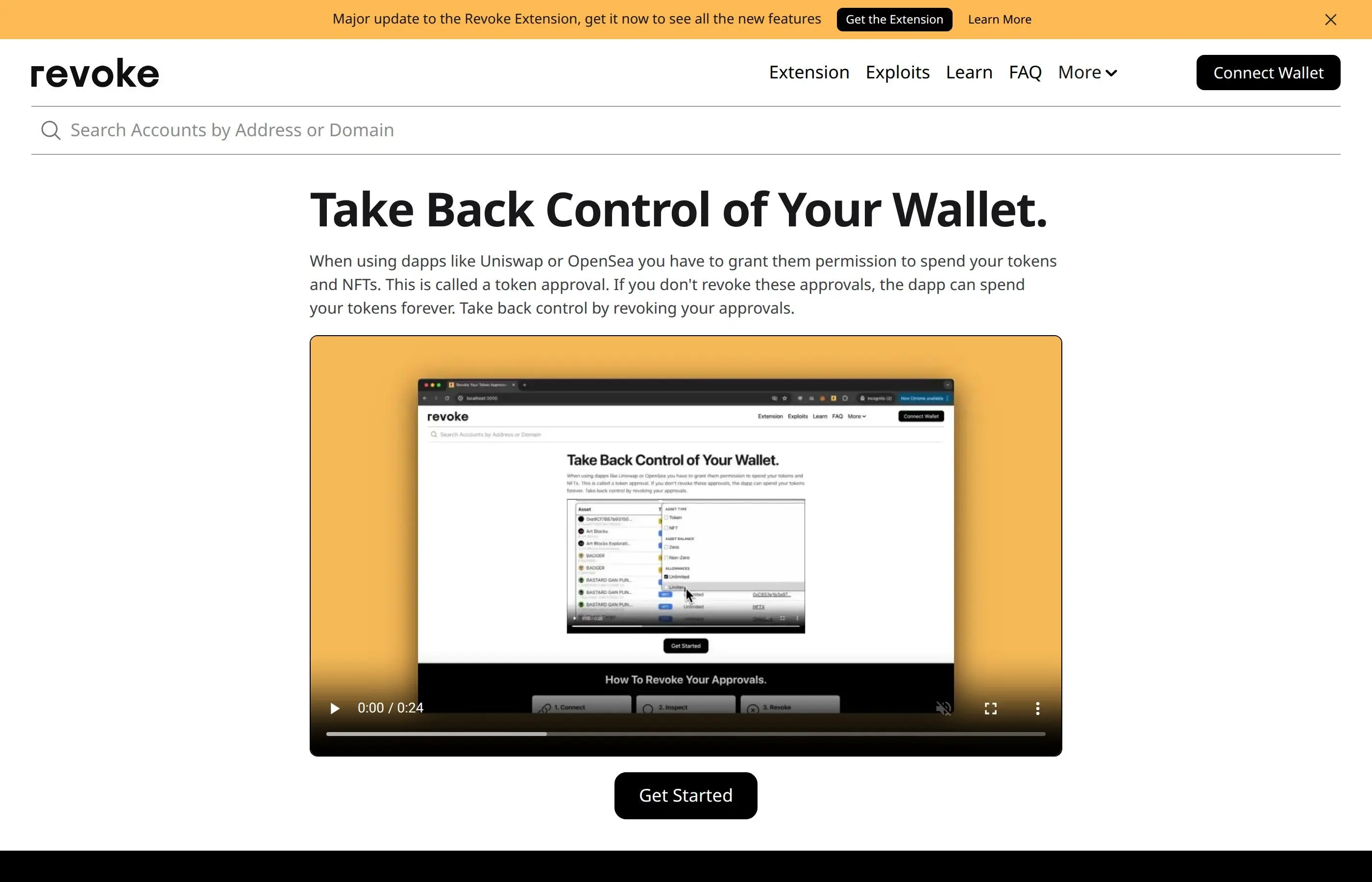
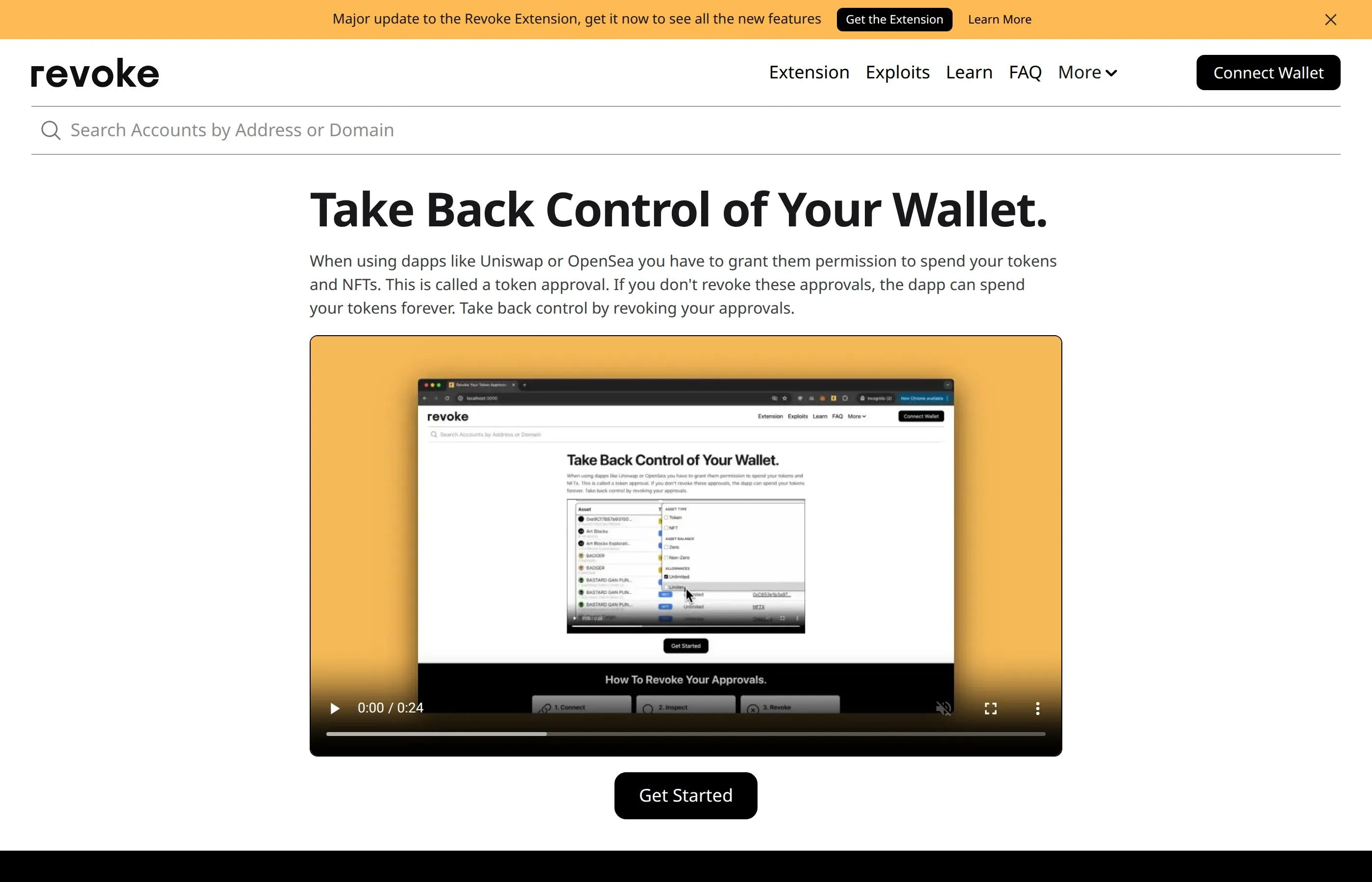
Every approval you have ever granted is a potential attack vector. If one of those approved contracts is later compromised, the attacker can drain your approved tokens. Use tools like Revoke.cash or Etherscan's Token Approval Checker to revoke old and unnecessary approvals. Make this a monthly habit - set a reminder and clean house regularly.
Simulate Transactions Before Signing
Rabby Wallet includes a built-in transaction simulation feature that shows you exactly what will happen before you sign. It displays which tokens will leave your wallet, which tokens you will receive, and any approvals being granted. This is one of the most powerful anti-phishing features available in any wallet today. If a transaction simulation shows unexpected token outflows or suspicious approvals, reject it immediately.
Avoid Unknown Contracts
Never interact with smart contracts you found through unsolicited links, DMs, or social media ads. Always navigate to DeFi platforms through official, verified URLs. If a new protocol appears out of nowhere with impossibly high yields, it is almost certainly a scam or a rug pull in progress. Check whether the protocol has been audited by a reputable firm, and look at how long it has been live before committing significant funds.
Use a Burner Wallet for Exploration
When experimenting with new DeFi protocols, airdrops, or NFT mints, use a separate "burner" wallet that only contains a small amount of funds. Never connect your main holdings wallet to untested dApps. If the burner wallet gets compromised, you only lose a small amount. Once you have verified a protocol is legitimate, you can switch to your main wallet for larger transactions.
7. Browser Security and Isolation
Your web browser is the primary interface between you and the blockchain. It is also the primary attack surface. Browser-based threats account for the majority of individual wallet compromises. Here is how to lock it down:
Use a Dedicated Browser for Crypto
Create a completely separate browser profile - or better yet, use a different browser entirely - for all crypto activities. Your crypto browser should have only the essential extensions: your wallet (MetaMask or Rabby) and nothing else. No ad blockers (use DNS-level blocking instead), no password managers (use a separate one), no productivity extensions, no social media tools. Every extension is a potential attack vector.
Recommended setup:
- Daily browsing: Chrome or Firefox with all your regular extensions
- Crypto-only: Brave or a separate Chrome profile with only your wallet extension installed
- Never install crypto wallet extensions on your daily browsing profile
- Never browse social media, check email, or visit random sites on your crypto browser
Extension Hygiene
Malicious browser extensions are a growing threat. Some impersonate legitimate tools while secretly modifying web pages to redirect transactions or capture seed phrases. Audit your extensions regularly. Remove anything you do not actively use. Check extension permissions - a calculator app should not need access to all your browsing data.
VPN Usage
A VPN adds a layer of network-level privacy and can protect you from targeted attacks based on your IP address. It does not protect against phishing or malware, but it does prevent your ISP or local network operators from seeing your crypto-related traffic. Use a reputable, paid VPN service with a strict no-logs policy. Avoid free VPNs - they often monetize your data.
DNS-Level Protection
Configure your system to use a security-focused DNS provider like Cloudflare's 1.1.1.2 (malware-blocking) or Quad9 (9.9.9.9). These services block known malicious domains before your browser even loads them. This adds a baseline layer of protection against phishing domains and malware distribution sites.
8. Mobile Device Security
Mobile devices present unique security challenges because they combine communication, web browsing, and financial tools in a single always-connected device. Here is how to protect your mobile crypto activity:
- Keep your OS updated: Enable automatic updates for both your operating system and apps. Security patches address known vulnerabilities that hackers actively exploit.
- Use biometric authentication: Enable fingerprint or face recognition for all crypto apps and wallets. This adds a layer that cannot be easily stolen or guessed.
- Disable lock screen previews: Notifications from exchanges and wallets can reveal sensitive information (2FA codes, transaction alerts). Disable content preview in notifications so they do not appear on your lock screen.
- Avoid public Wi-Fi: Never access crypto accounts on public Wi-Fi networks without a VPN. Public networks are trivially easy to monitor and can be used to inject malicious content into your browsing session.
- Install only official apps: Only download exchange and wallet apps from official app stores. Verify the developer name matches the official company. Check the number of downloads and reviews for legitimacy.
- Use a separate device (advanced): For high-value holdings, consider using a dedicated phone that you only use for crypto and financial applications. Keep it offline when not in use and never install social media or messaging apps on it.
Protecting Against SIM Swap
Contact your mobile carrier and set up a PIN or password that must be provided before any account changes can be made (including SIM transfers or number porting). Some carriers offer specific SIM lock features. Additionally, consider switching to an eSIM if your phone supports it, as physical SIM cards can be more easily swapped at retail stores.
9. Email Security for Crypto Users
Email is the gateway to most of your online accounts. If an attacker compromises your email, they can reset passwords on exchanges, intercept 2FA codes, and access sensitive account information. Here is how to protect it:
- Use a dedicated crypto email: Create a separate email address that you only use for crypto exchanges and wallet registrations. Do not use this email for social media, newsletters, or any other purpose. The fewer people who know this address, the better.
- Choose a secure email provider: ProtonMail or Tutanota offer end-to-end encryption by default. They also have stronger protections against account recovery attacks than mainstream providers.
- Enable hardware key 2FA: Protect your email with a YubiKey or similar hardware security key. Your email is arguably the most important account to secure because it can be used to reset everything else.
- Never click links in emails: Even emails that appear to be from your exchange or wallet provider can be spoofed. Always navigate to the site directly through your bookmarks instead of clicking email links.
- Watch for spoofed sender addresses: Hackers can make emails appear to come from legitimate addresses. Always check the full sender address, not just the display name. Look for subtle misspellings or different domains.
- Disable auto-loading of images: Tracking pixels in emails can confirm your address is active and reveal your IP address. Disable automatic image loading in your email settings.
10. Social Media Safety and Privacy
Social media is the primary hunting ground for crypto scammers. Here is how to reduce your attack surface:
- Never reveal your holdings: Posting about your portfolio size, specific gains, or wallet addresses makes you a target. Hackers specifically target users who brag about large holdings.
- Disable DMs from strangers: On Discord, Telegram, and X, close your DMs to non-contacts. The majority of phishing attacks start with unsolicited direct messages.
- Verify everything independently: If a "project founder" or "admin" messages you, verify their identity through official channels. Check the official website, not a link they sent you.
- Be skeptical of airdrops: Unsolicited airdrop claims that require you to connect your wallet to a website are almost always phishing attacks. Legitimate airdrops typically appear directly in your wallet without requiring you to visit a third-party site.
- Beware of fake accounts: Scammers create accounts that look identical to legitimate projects or influencers. Check follower counts, account age, and the blue verification checkmark carefully. Look for subtle differences in usernames (using "l" instead of "I", adding underscores, etc.).
- Never screen-share your wallet: During video calls or live streams, never show your wallet interface. Transactions, balances, and especially seed phrases can be captured from a single frame.
Remember: No legitimate project, exchange, or wallet will ever ask for your seed phrase, private key, or password through social media. Anyone who does is a scammer, no exceptions.
11. Emergency Response Plan - What to Do If Hacked
Even with perfect security, things can go wrong. Having an emergency response plan ready before an incident occurs can be the difference between losing some funds and losing everything. Here is your step-by-step action plan:
Immediate Actions (First 5 Minutes)
- Transfer remaining funds immediately: If your wallet is being drained, transfer any remaining tokens to a secure wallet (ideally a hardware wallet) that uses a completely different seed phrase. Speed is critical - some drainer scripts operate on a delay or target specific tokens first.
- Revoke all approvals: Use Revoke.cash to immediately revoke every token approval on the compromised wallet. This prevents the attacker from draining additional approved tokens.
- Disconnect from all dApps: In your wallet settings, disconnect from all connected sites.
Within the First Hour
- Lock exchange accounts: If you suspect your email or exchange accounts may be compromised, log in and disable withdrawals, change your password, and rotate your 2FA immediately. Most exchanges have an emergency account lock feature.
- Scan for malware: Run a full antivirus and anti-malware scan on your computer and phone. If you find anything, assume all credentials on that device are compromised.
- Change all passwords: Starting with your email, change passwords for every crypto-related account. Use a password manager to generate unique, strong passwords.
- Check for unauthorized email forwarding rules: Hackers often set up email forwarding rules that send copies of all incoming email to their own address. Check your email settings and remove any rules you did not create.
Within the First 24 Hours
- Document everything: Save transaction hashes, screenshots, timestamps, and any communications related to the hack. This documentation may be needed for law enforcement or insurance claims.
- Report to authorities: File a report with your local law enforcement and the FBI's IC3 (in the US) or equivalent authority in your country. While recovery is rare, reporting helps track criminal networks.
- Contact exchanges: If the stolen funds were sent to a centralized exchange, contact that exchange immediately with the transaction details. They may be able to freeze the attacker's account.
- Create a new wallet: Generate a brand new seed phrase on a clean, verified device. Never reuse a compromised seed phrase, even after you believe the threat is resolved.
Pro Tip: Write this emergency plan down and keep it accessible. During a crisis, stress makes it hard to think clearly. Having a printed checklist next to your computer means you can act quickly and methodically instead of panicking.
12. The 20-Point Crypto Security Checklist
Use this checklist to audit your current security setup. Each item you complete significantly reduces your risk:
- Store 80%+ of holdings on a hardware wallet (cold storage)
- Seed phrase backed up on metal plate and stored in a fireproof safe
- BIP39 passphrase enabled on hardware wallet with passphrase stored separately
- Unique, strong passwords (20+ characters) for every crypto account via password manager
- Hardware key (YubiKey) 2FA enabled on email and primary exchange accounts
- Authenticator app 2FA enabled on all remaining accounts (no SMS 2FA)
- Withdrawal address whitelist enabled on all exchanges
- Anti-phishing code set on Binance, OKX, and any supporting exchange
- Dedicated email address used exclusively for crypto accounts
- Dedicated browser profile or separate browser for all crypto activity
- Wallet browser has zero non-essential extensions installed
- VPN active when accessing crypto accounts
- DNS configured to a security-focused provider (Cloudflare 1.1.1.2 or Quad9)
- Token approvals reviewed and unnecessary ones revoked monthly
- Transaction simulation (via Rabby) used before signing any DeFi transaction
- Burner wallet used for interacting with new or untested protocols
- SIM PIN/password set with mobile carrier to prevent SIM swap
- Social media DMs closed to non-contacts on Discord, Telegram, and X
- Emergency response plan printed and accessible near your workspace
- Backup hardware wallet stored in a separate physical location
If you can check off all 20 items, you are in the top 1% of crypto users in terms of security. Even completing the top 10 puts you far ahead of most people.
13. Pros and Cons of Different Security Levels
Not everyone needs maximum security. Here is a breakdown to help you decide what level fits your situation:
Basic Level - Casual Holder (Under $1,000)
Setup: Hot wallet (MetaMask/Rabby) with strong password, authenticator app 2FA on exchange, unique passwords.
Pros:
- Free to set up - no hardware purchases needed
- Maximum convenience for quick trades and DeFi
- Easy to get started for beginners
Cons:
- Vulnerable to phishing, malware, and browser-based attacks
- Seed phrase is only as secure as your device
- Not suitable for significant holdings
Intermediate Level - Active Trader ($1,000-$50,000)
Setup: Hardware wallet for storage, hot wallet for active trading, dedicated crypto browser, withdrawal whitelist, authenticator 2FA, dedicated email.
Pros:
- Strong protection against most common attacks
- Good balance between security and convenience
- Hardware wallet cost ($60-$150) is minimal relative to holdings
Cons:
- Hardware wallet adds friction to transactions
- Requires discipline to maintain separate browsers and email
- Still vulnerable to sophisticated targeted attacks
Advanced Level - Serious Investor ($50,000+)
Setup: Multiple hardware wallets, metal seed phrase backup, BIP39 passphrase, YubiKey 2FA, dedicated device for crypto, VPN, DNS filtering, SIM lock, multisig or social recovery wallet, full 20-point checklist.
Pros:
- Extremely high security - resistant to all but the most sophisticated targeted attacks
- Multiple layers of redundancy protect against any single point of failure
- Passphrase provides plausible deniability in physical threat scenarios
- Multisig prevents any single compromised key from losing funds
Cons:
- Significant initial cost ($300-$500 for devices and metal backups)
- Highest friction for everyday transactions
- Complexity increases the risk of user error (losing passphrase, misconfiguring multisig)
- Requires ongoing maintenance and periodic security audits
14. Frequently Asked Questions
While no device is theoretically unhackable, modern hardware wallets from reputable manufacturers like Ledger and Trezor use secure element chips and have never been remotely hacked. The only known attacks require physical access to the device and sophisticated equipment. Your funds are far safer on a hardware wallet than on any software wallet or exchange.
MetaMask is safe when used correctly. The wallet itself has not been hacked. The vast majority of MetaMask-related losses come from users approving malicious transactions, entering their seed phrase on phishing sites, or having their device compromised by malware. Follow the security practices in this guide - especially using a dedicated browser and verifying every transaction - and MetaMask is a solid choice for daily DeFi use.
The safest method is to engrave or stamp your seed phrase onto a metal backup plate (Cryptosteel, Billfodl, or similar) and store it in a fireproof safe or bank safe deposit box. Create at least two copies stored in separate physical locations. Never store your seed phrase digitally in any form - not in a password manager, not in a notes app, not as a photo, not in cloud storage.
Yes. A VPN adds network-level privacy and protects against certain targeted attacks. It prevents your ISP and local network from seeing your crypto activity. However, a VPN alone does not protect against phishing, malware, or social engineering. It should be one layer in a multi-layered security approach, not your only defense.
You should revoke token approvals at least once a month. If you are an active DeFi user interacting with many protocols, consider doing it weekly. Always revoke approvals immediately after you are done using a specific dApp, especially for protocols you do not plan to use regularly. The small gas fee to revoke is insignificant compared to the potential loss from a compromised contract.
A BIP39 passphrase (sometimes called the 25th word) is an additional password that creates a completely separate set of wallet addresses from your seed phrase. If someone steals your seed phrase but does not know your passphrase, they cannot access your passphrase-protected funds. It is recommended for anyone holding more than a few thousand dollars in crypto. The risk is that if you forget the passphrase, those funds are permanently lost - so store it securely but separately from your seed phrase.
In most cases, no. Blockchain transactions are irreversible by design. However, if the stolen funds are sent to a centralized exchange, that exchange may be able to freeze the attacker's account if you report it quickly enough. There are also blockchain forensics firms (Chainalysis, CipherTrace) that assist law enforcement in tracking stolen funds. The chances of full recovery are low, which is why prevention is so much more important than response.
Mobile DeFi usage is riskier than desktop because mobile browsers have more limited security features, and it is harder to verify URLs and transaction details on a small screen. If you must use DeFi on mobile, stick to well-established protocols, keep your OS updated, use only official apps, and never use public Wi-Fi without a VPN. For high-value transactions, always use a desktop setup with a hardware wallet.
Rabby Wallet includes several security features that MetaMask lacks. Its built-in transaction simulation previews what a contract will do before you sign, showing token inflows, outflows, and approval changes. It also displays risk warnings for suspicious contracts and has a more intuitive approval management interface. Both wallets are solid choices, but Rabby's simulation feature makes it particularly useful for DeFi users who want an extra layer of protection against malicious transactions.
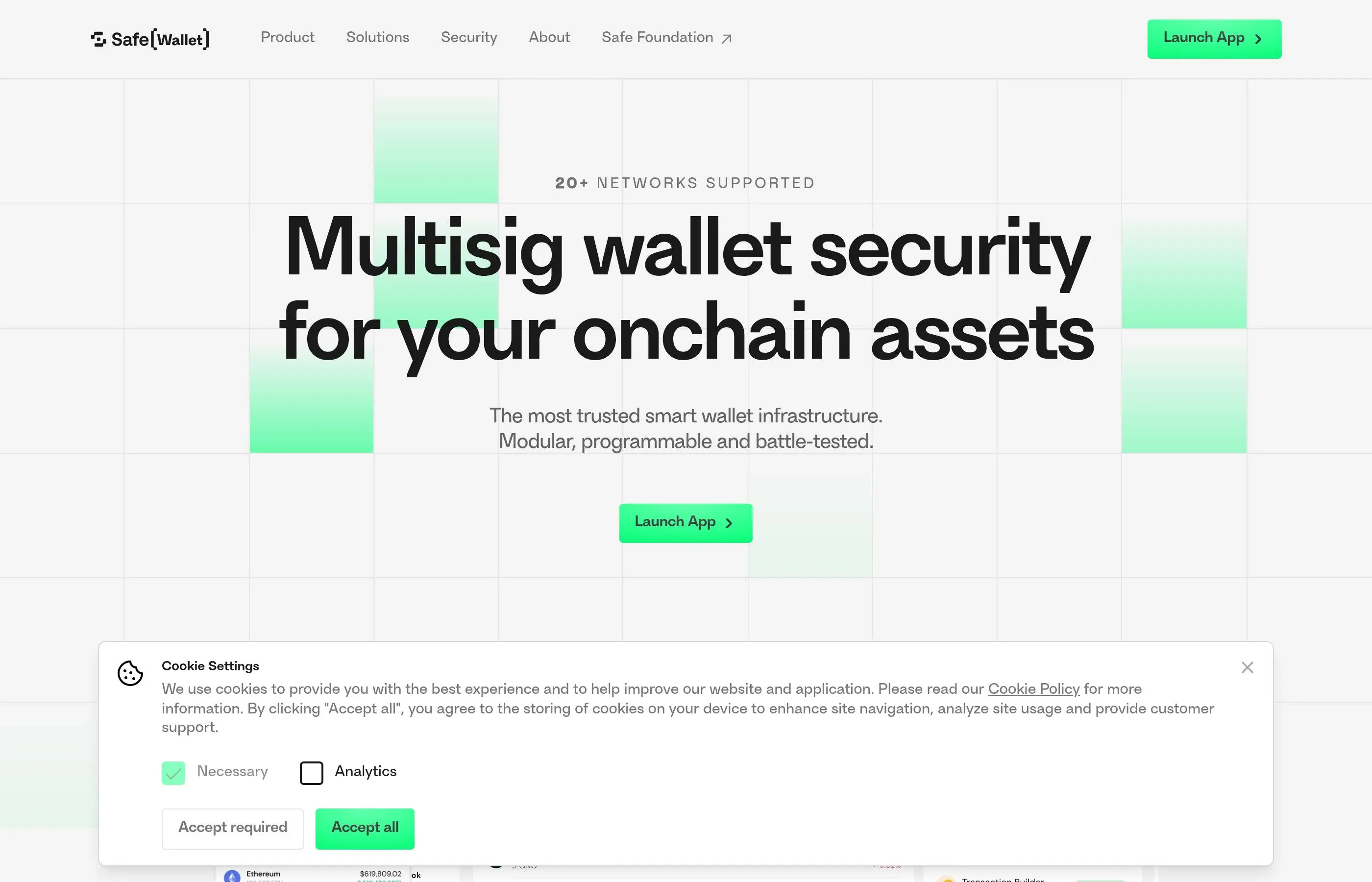
Multisig (multi-signature) wallets like Safe (formerly Gnosis Safe) require multiple private keys to authorize a transaction. For example, a 2-of-3 multisig requires any 2 out of 3 designated signers to approve a transaction. This is excellent for teams, DAOs, or individuals with very large holdings ($100K+). The downside is increased complexity and transaction costs. For most individual users, a hardware wallet with a BIP39 passphrase provides sufficient security without the complexity of multisig.
Check these criteria before interacting with any dApp: (1) Is the smart contract audited by a reputable firm? (2) How long has the protocol been live and how much TVL does it hold? (3) Is the team publicly known and doxxed? (4) Does the project have an active community and transparent communication? (5) Can you verify the URL through multiple official sources? Use tools like Bubblemaps and honeypot checkers to analyze the token before investing. When in doubt, start with a very small amount from a burner wallet.
Address poisoning is when an attacker sends tiny transactions to your wallet from an address that closely matches yours (same first and last few characters). They hope you will accidentally copy their address from your transaction history instead of your real one. To avoid this: never copy addresses from transaction history, always use your address book or scan a QR code, and verify the full address (not just the first and last few characters) before confirming any transaction.
15. Related Tutorials
How to Use MetaMask Wallet
Complete tutorial for setting up and using MetaMask securely in 2026.
How to Use Ledger Hardware Wallet
Step-by-step Ledger setup and security best practices.
How to Use Trezor Hardware Wallet
Complete Trezor guide from unboxing to advanced features.
Best Cold Wallets 2026 Comparison
Side-by-side comparison of the top hardware wallets.
Revoke Token Approvals Tutorial
How to check and revoke dangerous token approvals to protect your wallet.
Seed Phrase Recovery Guide
How to safely recover and manage your crypto wallet seed phrase.
How to Use Rabby Wallet
Multi-chain EVM wallet with built-in transaction simulation.
How to Spot a Rug Pull
Complete 2026 checklist for identifying rug pull warning signs.
How to Use Bubblemaps
Detect token manipulation and suspicious holder concentration.
How to Check for Honeypots
Step-by-step guide to detecting honeypot tokens before you trade.
Crypto Wallet Security Tips
Essential wallet security practices every crypto user should follow.
Stay safe out there.
Security is not a one-time setup - it is an ongoing practice. Revisit this guide regularly, keep your software updated, and stay informed about new threats. The few hours you invest in security today can save you from devastating losses tomorrow.