How to Get Started on Anubis Chain: First Steps for Beginners (2026)
— By Tony Rabbit in Tutorials
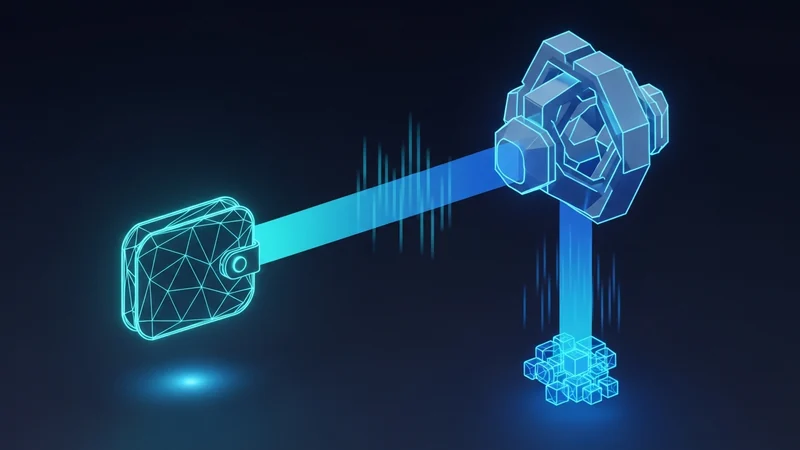
A beginner walkthrough for Anubis Chain: add the network (Chain ID 6714), bridge DAI, get gasDAI for gas, swap on RocketSwap, and verify on-chain.
To get started on Anubis Chain, add the network to an EVM wallet using Chain ID 6714 and RPC rpc.anubispace.org, bridge DAI in through the official bridge, hold gasDAI to pay gas, then make your first swap on the native DEX RocketSwap. Always verify transactions on the official explorer at browser.anubispace.org.
- Add Anubis Chain (Chain ID 6714) to Bitget, OKX, or MetaMask
- Bridge DAI in through the official bridge
- Pay gas in gasDAI, the DAI-pegged gas unit
- Make your first swap on RocketSwap
- Verify everything on browser.anubispace.org
If you have used any EVM network before, getting started on Anubis Chain will feel familiar, with one twist: gas is paid in a DAI-pegged unit called gasDAI rather than a volatile coin. Anubis Chain is an EVM-compatible privacy Layer 1 that uses a selective privacy model and PLONK zero-knowledge proofs, and its mainnet went live in April 2026. This guide walks you through the first steps in order, from adding the network to making your first swap, with the safety checks that matter on a new chain.
Before You Start: What You Need
You only need three things to begin, and none of them are exotic if you have traded on Ethereum or an L2 before.
- An EVM wallet. Bitget Wallet and OKX Wallet were supported from launch, and MetaMask works as a custom network.
- Some DAI. DAI is the primary on-ramp because gas on Anubis Chain is paid in the DAI-pegged gasDAI unit.
- The official URLs. Bookmark the official site and explorer before you start so you never follow a fake link.
Step 1: Add Anubis Chain to Your Wallet
Bitget Wallet and OKX Wallet can connect to Anubis Chain directly. If you prefer MetaMask, add it as a custom network with the parameters below.
Step 2: Bridge Stablecoins In
Once the network is added, move funds across. DAI is the natural choice because it is both the main liquidity asset and the basis for gas. Use the official bridge documented at anubischain.ai to move DAI onto Anubis Chain. For a deeper walkthrough of this step, see our Anubis Chain bridging guide.
Step 3: Get gasDAI for Gas
Every transaction needs gas, and on Anubis Chain gas is paid in gasDAI rather than a separate volatile token. Because gasDAI is pegged to DAI, your transaction costs are denominated in stable terms, which makes budgeting fees far more predictable than on chains where the gas token swings in price. Make sure you hold a small amount of gasDAI before you try to swap or interact with a contract.
Step 4: Make Your First Swap on RocketSwap
RocketSwap is the native decentralized exchange of Anubis Chain and hosts the deepest pools, including the DAI/LGNS pair from the AWAKE genesis project. Because RocketSwap reads from a threshold-encrypted mempool, your pending swap is hidden from sandwich bots, which is a meaningful advantage for a first-time trader.
- Connect your wallet to RocketSwap on Anubis Chain.
- Select the pair and enter a small test amount first.
- Confirm the contract of any token you are buying on the explorer before swapping.
- Approve and swap, paying gas in gasDAI.

Step 5: Track and Verify
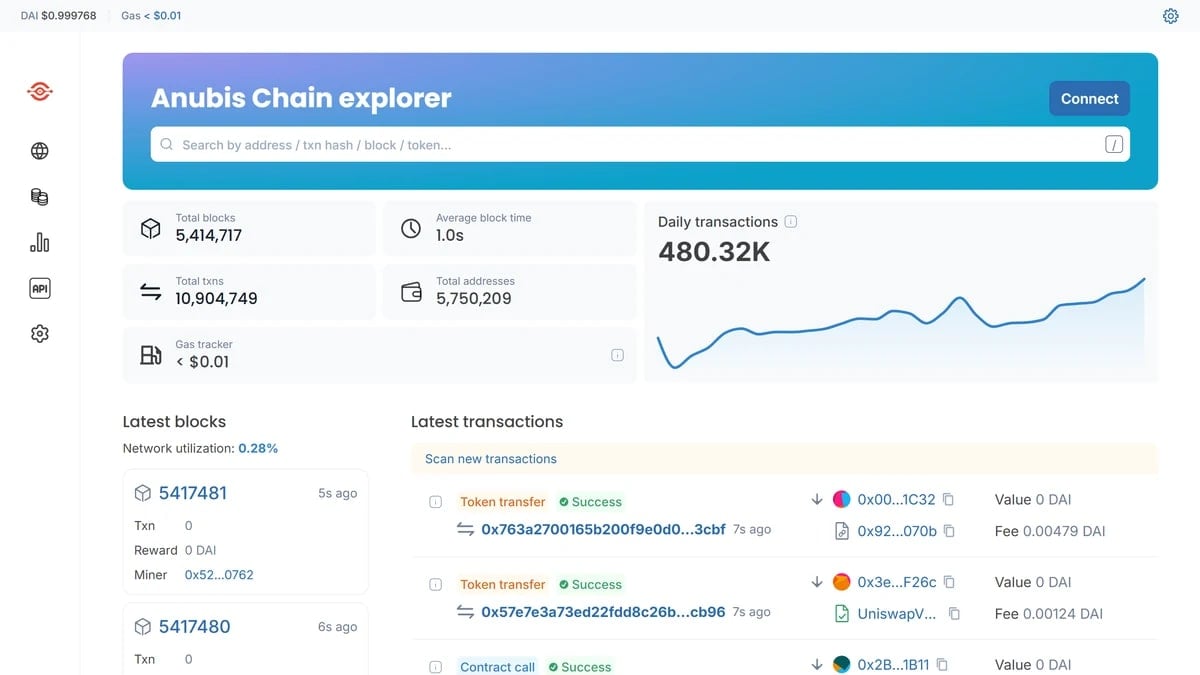
Two habits will keep you safe and informed from day one. First, confirm every transaction on the official explorer at browser.anubispace.org. Transparent transactions resolve in roughly one second, while shielded transactions take a little longer because of the extra cryptography. Second, as DEXTools integrates Anubis Chain coverage, use it to monitor pairs, liquidity depth, and trader flow before you buy any token.
Understanding gasDAI: Why Stable Gas Helps
One of the unique features of the Anubis Chain is its native gas unit, gasDAI, which is pegged to DAI. This design choice offers significant advantages for users, primarily by introducing predictability and stability to transaction costs. Unlike many other EVM-compatible chains where the gas token's value can fluctuate wildly, gasDAI ensures that the dollar cost of your transactions remains consistent.
Consider the experience on a chain like Ethereum, where transaction fees are paid in ETH. If the price of ETH rises sharply, the cost of a simple swap or transfer can suddenly become much more expensive in dollar terms, even if the underlying gas consumption hasn't changed. This volatility makes budgeting for on-chain activity challenging and can deter users from engaging with the network during periods of high price swings.
With gasDAI, users no longer need to constantly monitor the price of a volatile native token to estimate their transaction costs. Since gasDAI is pegged to DAI, the dollar value of your gas fees remains stable. This eliminates the need to hold a separate, volatile asset solely for gas payments, simplifying the user experience and making it easier to manage your crypto portfolio.
Transparent vs Shielded Transactions
Anubis Chain offers a selective privacy model, allowing users to choose between transparent and shielded transactions. This flexibility caters to different user needs, balancing the desire for privacy with transaction speed and computational overhead. Understanding the distinction between these two types of transactions is crucial for navigating the Anubis Chain effectively.
Transparent transactions on Anubis Chain confirm in approximately one second. These transactions are similar to those on public blockchains, where details like sender, receiver, and amount are visible on the explorer. They offer the fastest confirmation times because they require less complex cryptographic processing, making them ideal for routine operations where privacy is not a primary concern.
Shielded transactions, on the other hand, provide enhanced privacy by utilizing PLONK zero-knowledge proofs. While offering significant privacy benefits, these transactions take longer to confirm than transparent ones. The additional time is due to the intensive cryptographic work required to generate and verify the zero-knowledge proofs, which ensure the transaction's validity without revealing sensitive information. This trade-off means users must weigh their need for privacy against the desire for immediate transaction finality.
Troubleshooting Your First Transactions
Encountering issues with your first few transactions on any new blockchain is common. While Anubis Chain aims for a smooth user experience, general troubleshooting steps apply. Here's a guide to common problems and their solutions, applicable to Anubis Chain and other EVM-compatible networks.
Most transaction failures or delays stem from a few core issues, often related to network configuration, gas settings, or slippage tolerance. Understanding these can help you quickly resolve problems and get back to trading or transferring assets.
Remember that gasDAI is the native gas unit on Anubis Chain. Always ensure you have sufficient gasDAI in your wallet to cover transaction fees. The predictable nature of gasDAI helps in budgeting, but running out of it will still halt your transactions.
A Security Checklist for Any New Chain
Venturing into a new blockchain ecosystem, even one as secure as Anubis Chain, requires vigilance. Adhering to fundamental security practices can protect your assets and privacy. This checklist provides general guidelines applicable to any new chain or decentralized application.
- Bookmark Official URLs. Always use bookmarked links for official sites like Anubis Chain's explorer (browser.anubispace.org), RPC (rpc.anubispace.org), or the official site (anubischain.ai). Phishing sites are a common threat.
- Verify Contract Addresses. Before interacting with any smart contract, especially for new tokens or liquidity pools, verify its address on the chain explorer. Malicious contracts can mimic legitimate ones.
- Start Small. When exploring new protocols or tokens, always begin with small, non-significant amounts. This minimizes potential losses if you encounter a bug or a scam.
- Never Share Your Seed Phrase. Your wallet's seed phrase (or recovery phrase) is the master key to your funds. Never share it with anyone, under any circumstances, even if they claim to be support.
- Revoke Suspicious Approvals. Regularly review and revoke token approvals given to smart contracts, especially those you no longer use or don't fully trust. Tools are available to help manage these permissions.
- Use Reputable Wallets. Stick to well-established and audited wallets like Bitget Wallet or OKX Wallet, which support Anubis Chain.
What to Explore After Your First Swap
After successfully completing your first swap on RocketSwap, the native DEX of Anubis Chain, you've taken a significant step into the ecosystem. The next phase involves deepening your understanding and engagement with the network. Here's what you can explore to become a more informed participant.
Start by tracking the pairs and liquidity on RocketSwap. As a Uniswap V2 style AMM, RocketSwap relies on liquidity providers. Understanding liquidity pools, impermanent loss, and how dynamic fee matrices work can provide insights into the economics of decentralized exchanges. You can also review the shielded LP positions feature for added privacy.
Dive into the Anubis Chain explorer (browser.anubispace.org). This tool is invaluable for understanding on-chain activity. You can look up your own transactions, monitor block confirmations, inspect smart contract interactions, and observe the overall network health. Familiarizing yourself with the explorer will make you more self-sufficient in diagnosing issues and verifying information.
Finally, explore the broader Anubis Chain ecosystem. AWAKE is the first genesis ecosystem project, governed by the AWAKE DAO, with its native token LGNS. Understanding the various projects building on Anubis Chain, their use cases (like RWA tokenization and institutional payments), and their communities will give you a comprehensive view of the network's potential and future direction.
Frequently Asked Questions
How do I add Anubis Chain to my wallet?
Bitget Wallet and OKX Wallet connect directly. For MetaMask, add a custom network with Chain ID 6714, RPC rpc.anubispace.org, explorer browser.anubispace.org, and gasDAI as the native currency. Only use details from the official site, anubischain.ai.
What token do I need for gas on Anubis Chain?
Gas is paid in gasDAI, a DAI-pegged gas unit. Because it tracks DAI, transaction costs are denominated in stable terms, so you do not need a separate volatile gas token.
How do I get funds onto Anubis Chain?
Bridge DAI in through the official bridge documented at anubischain.ai. DAI is the primary on-ramp because it is both the main liquidity asset and the basis for gasDAI gas.
Where do I trade on Anubis Chain?
RocketSwap is the native DEX and hosts the deepest pools, including the DAI/LGNS pair. Its encrypted mempool helps protect swaps from sandwich attacks.
Is Anubis Chain safe for beginners?
This guide is educational, not financial advice. Anubis Chain is a new network, so only use official URLs, start with small test amounts, verify token contracts on the explorer, and never follow onboarding links from strangers.