Trust Wallet Beginner Guide: Mobile Multichain Wallet
— By AliceOnChain in Tutorials
Transitioning to self-custody can feel daunting for newcomers exploring decentralized markets. This Trust Wallet Beginner Guide demystifies mobile asset management, breaking down seed phrase encryption, native multi-chain support across 100+ networks, and practical security tips to safeguard your on-chain trades. Learn how to optimize your mobile layout and pair your transactions with real-time analytics.
Trust Wallet Beginner Guide: Mobile Multichain Wallet
The shift from centralized exchanges to self-custody is a defining milestone for any decentralized finance participant. Managing your own assets eliminates counterparty risk, giving you unmediated access to decentralized applications, emerging liquidity pools, and native staking protocols. For many retail investors entering this ecosystem, the smartphone is their primary hardware interface. In the mobile category, Trust Wallet stands out as one of the most widely deployed non-custodial software applications.
Entering the on-chain markets through a smartphone requires an explicit understanding of mobile operational security. A single careless signature or an unverified application download can completely compromise your portfolio. For users looking to navigate this landscape safely, having a comprehensive Trust Wallet Beginner Guide is essential to establish a firm understanding of private key isolation, gas optimization, and multi-chain execution.
This structural primer breaks down the foundational steps to launch your mobile decentralized hub, manage multiple layer-1 architectures, and utilize advanced market analytics on DEXTools to verify token data before completing a swap.
What is Trust Wallet and How It Controls Your Crypto
Originally launched in 2017 and operating independently within the broader Web3 ecosystem, the application has evolved into a comprehensive financial super-app serving over 220 million users globally. It functions as a non-custodial software client, meaning the private keys that govern your on-chain assets are encrypted locally on your mobile device’s storage rather than a corporate server.
Multi-Chain Infrastructure Architecture
A primary advantage highlighted in this Trust Wallet Beginner Guide is the app’s expansive native network breadth. The application provides out-of-the-box support for over 100 independent blockchain layers-including Bitcoin, Ethereum, Solana, BNB Chain, Polygon, Avalanche, and modern networks like Sui and TON.
When you configure your mobile account, the app uses a standardized master seed phrase to compute unique public and private keys for each network layer. The software handles this multi-chain abstraction automatically behind the scenes. When a user connects to an on-chain pool via WalletConnect or the integrated dApp browser, the client instantly reads the network protocol requirement, signing transactions with the correct cryptographic standard without requiring the user to download separate, specialized wallet clients.
Establishing a Secure Mobile Installation
Because mobile operating systems are exposed to different threat vectors than traditional desktop environments-such as malicious clipboard scrapers or fake application lookalikes-following a rigorous setup protocol is vital for asset protection.
1. Verification and Software Procurement
The prevalence of phishing apps in mobile application ecosystems requires maximum diligence. Never download the software via an unverified link sent through social media or direct messages. Navigate to the official developer website to access verified redirect paths for iOS via the Apple App Store or Android via Google Play. Verify the publisher credentials, developer certifications (such as ISO 27001 & 27701), and download metrics before launching the installer.
2. Safeguarding the 12-Word Secret Recovery Phrase
When selecting "Create a New Wallet," the system will prompt you to set a local biometric lock or PIN code. This credential strictly restricts access to the physical app on that specific phone; it cannot restore your assets on another device.
Next, the application will display your 12-word Secret Recovery Phrase. This is the master ledger key to every single blockchain address derived by your wallet.
The Digital Isolation Rule: Do not take a screenshot, copy the words to your phone's clipboard, or store the backup phrase within a cloud-synchronized note-taking application. Mobile malware can routinely scan photo libraries and local text clipboards.
The Physical Back-Up Protocol: Handwrite the words in sequence on a physical index card or engrave them into a specialized steel plate. Store this analog document in a secure, climate-controlled location. If your phone suffers catastrophic physical failure, this phrase is your only path to recover your funds.
Navigating Mobile Swaps and Gas Management
Once your addresses are active, you can utilize the app's integrated execution features to manage your portfolio layout directly from the mobile interface.
Executing Low-Friction Swaps
The interface features an optimized, single-screen swap module that surfaces popular trading assets based on live network activity. While convenient for swift portfolio adjustments, users must note that internal software swaps utilize third-party liquidity providers and aggregators which can include small convenience fees. For high-velocity trading or low-cap token hunting, connecting your wallet to native decentralized applications or analyzing data layers via external portals remains the standard approach.
Managing Native Gas Buffers
Every action broadcasted to a blockchain requires a network settlement fee, known as gas. A frequent mistake for beginners navigating this Trust Wallet Beginner Guide is failing to maintain native gas reserves. Each network layer requires its specific utility token to process data:
Swapping an ERC-20 token on Ethereum requires ETH
Trading a BEP-20 token on BNB Chain requires BNB
Moving an SPL token on Solana requires SOL
If you swap your entire balance of a native token into a stablecoin like USDT, your remaining assets become illiquid. You will be unable to transfer or sell those assets until you deposit additional native gas tokens into that specific network address. Advanced features like SWIFT smart accounts allow for partial gas abstraction using FlexGas (paying gas fees with the token you are sending), but maintaining a dedicated buffer of native SOL, ETH, and BNB remains a gold standard for flexible portfolio management.
Advanced Risk Mitigation: The Integrated Security Scanner
Operating in decentralized markets exposes users to predatory token contracts and front-end phishing sites. To mitigate these risks on mobile devices, the platform deploys an integrated, real-time Security Scanner independently audited by leading firms like CertiK and Halborn.
When you attempt to connect your wallet to an unfamiliar dApp or execute a transfer to an unknown smart contract address, the local scanner automatically cross-references the destination data against global threat blacklists. If the contract contains malicious code, known mint-vulnerabilities, or is flagged as an active honeypot scheme, the application blocks the execution screen, forcing you to acknowledge the danger before authorizing your signature. This mobile-first capability acts as a vital protective barrier against blind-signing exploits.
Enhancing Mobile Execution Safety with DEXTools
A secure mobile wallet is a necessary execution vehicle, but it lacks the macro data layers required to identify true market viability. Pairing your mobile wallet with the comprehensive data engine of DEXTools creates a secure, institutional-grade workflow.
Before initializing any cross-chain swap or committing capital to a newly launched liquidity pool from your smartphone, look up the target token contract address on the DEXTools Pair Explorer. Analyze the live chart data to identify structural support and resistance boundaries, and review the real-time transaction log to confirm the pool has deep, unmanipulated liquidity.
Furthermore, use DEXTools’ contract verification score and holder distribution analysis tools. Verifying that a token contract does not possess hidden developer allocations or unrenounced mint privileges on DEXTools before you open your mobile wallet ensures that your funds are never exposed to predatory token designs that could bypass standard local wallet alerts.
Conclusion: Mastering the Self-Custody Journey
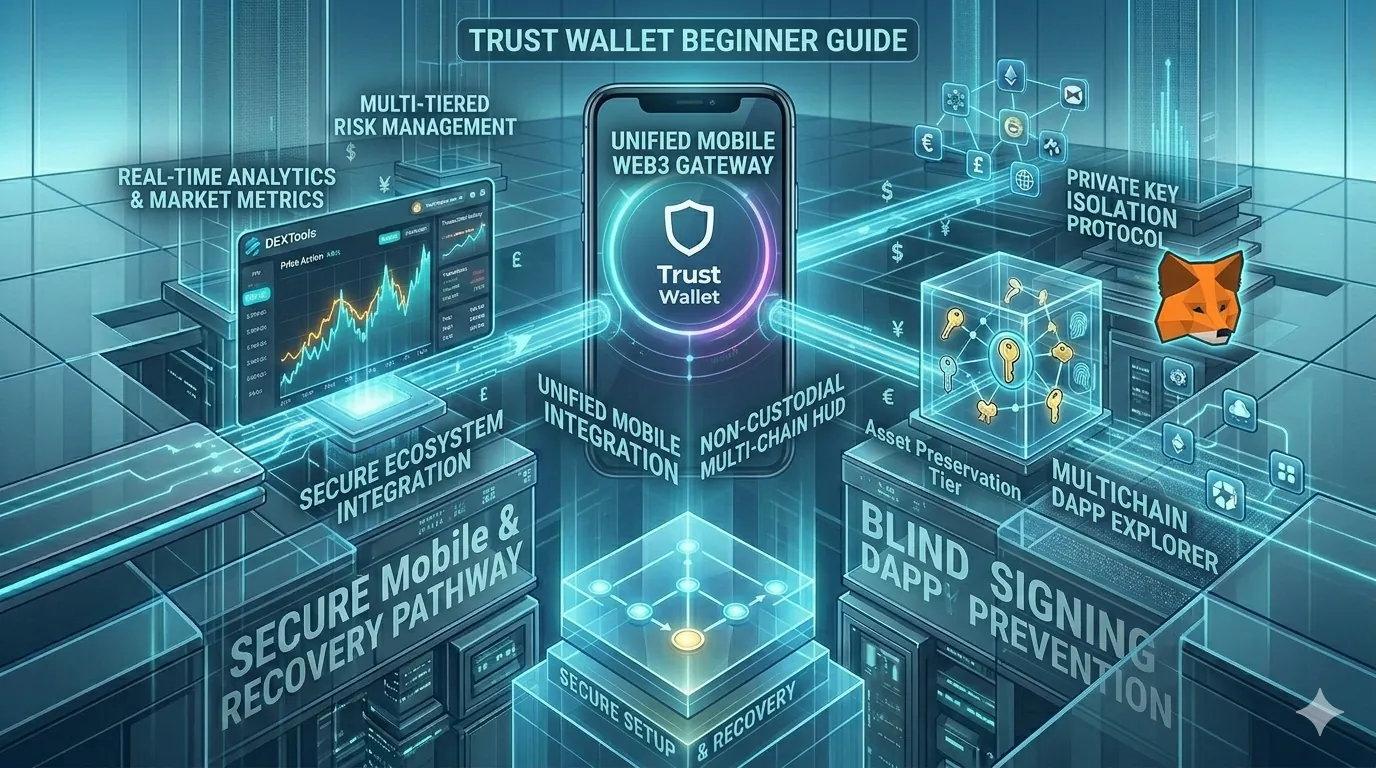
Consolidating your decentralized asset management into a unified mobile application provides excellent operational agility, allowing you to track positions and adjust capital layout at any moment. As outlined in this Trust Wallet Beginner Guide, the platform delivers the necessary multichain infrastructure to interact seamlessly with 100+ separate blockchains from a single, intuitive interface.
However, mobile convenience must never lead to a relaxation of security standards. By strictly maintaining offline analog backups of your master recovery phrase, actively monitoring your token allowance boundaries, leveraging the app's internal security scanning engine, and verifying every underlying market metric on DEXTools before signing a transaction, you can maximize your returns while keeping your crypto capital completely insulated from on-chain threats.
Disclaimer: This article is for informational purposes only and does not constitute investment advice, financial advice, trading advice, or any other kind of advice. DEXTools does not recommend buying, selling, or holding any cryptocurrency or token. Users should conduct their own research and consult with a qualified financial advisor before making any investment decisions. Cryptocurrency investments are volatile and high-risk. DEXTools is not responsible for any losses incurred.